收件箱
部落格API常見問題隱私政策回饋聯絡我們
/
© TempEmail.cc
Temp Mail 部落格Student TempMail Guide: How to Use Temporary Mail EDU for Education Needs in 2026

Student TempMail Guide: How to Use Temporary Mail EDU for Education Needs in 2026

Harsel GiveshPost by Harsel Givesh |2026年1月28日
Student TempMail Guide: How to Use Temporary Mail EDU for Education Needs in 2026

Imagine you're a busy college student staring at your screen, desperately needing to try out a powerful AI study tool like Notion AI, Quizlet Plus, or even a premium Grammarly upgrade to ace your upcoming exams. You click "Sign Up" or "Start Free Trial," but then hesitate: if you use your personal Gmail or school email, you'll soon be drowning in endless promotional emails, newsletters, and worse—potential spam from shady "essay writing services" after one careless download from an academic forum. Sound familiar?

This is a common pain point for students today. Whether registering for online courses on platforms like Coursera, edX, or Khan Academy, accessing free student discounts on tools like Canva Pro or Adobe Creative Cloud, or verifying accounts on exam prep sites and research databases, email verification has become unavoidable. Yet relying on your main inbox exposes you to serious downsides: inbox clutter from relentless marketing blasts, privacy risks when your real email gets leaked or sold to third parties, and even identity-related headaches if sensitive student information falls into the wrong hands.

The good news? There's a simple, effective solution: temporary email for students, often called student tempmail or temporary mail edu. These disposable email services let you generate a one-time-use address in seconds, receive verification codes or confirmation links, and then let the inbox vanish—keeping your primary email clean and private.

For example, using a reliable free service like Tempemail.cc, you can quickly create a disposable inbox tailored for education needs. No registration required, no personal details shared, and zero risk of long-term spam.

In short — student tempmail is a free, instant disposable email that lets you safely register for online courses, trial tools (Canva Pro, Grammarly Premium), download papers, or join webinars without ever exposing your real inbox.

Why it's a game-changer in 2026:

  • Zero spam — verification complete, inbox auto-disappears
  • Full privacy — no leaks, no phishing, no data resale
  • Effortless multi-account — fresh address for every trial or course
  • Instant & secure — expires automatically, zero long-term risk

Whether you're hunting for the best temporary mail for student privacy protection or just tired of inbox overload, stick around. We'll cover what student temporary emails are, the top scenarios where they shine, practical how-to instructions, safety tips, and more.
Student using temporary mail for education

What is Student TempMail?

Student tempmail (also commonly referred to as temporary mail edu, temporary email edu, or edu email temporary) is a type of disposable email service designed specifically with students in mind. It allows anyone to generate a short-lived, one-time-use email address in seconds. You use this temporary address to sign up for services, receive verification codes or confirmation links, and then the inbox simply disappears after a short period—leaving no trace on your main email account.

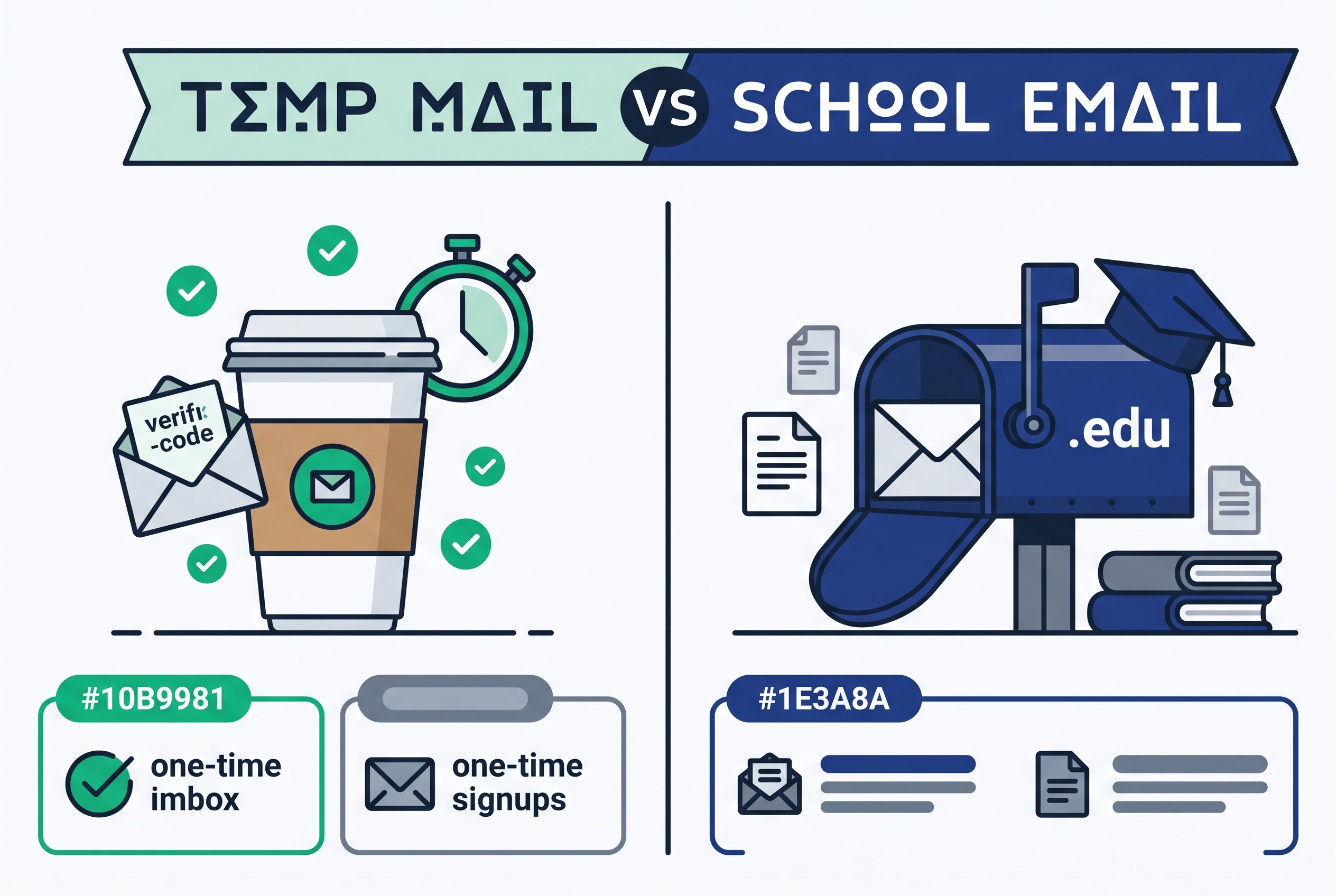
Unlike a permanent email like Gmail, Outlook, or your school-issued .edu address, student tempmail is never meant to be a long-term inbox. Its entire purpose is convenience and privacy: handle the one-time verification task and move on without cluttering your real mailbox or exposing personal information.

Temporary mail edu usually refers to temporary email services that offer addresses with an education-friendly appearance—sometimes featuring .edu-like aliases or domain names that feel academic. However, it’s important to clarify: these are not official .edu domains issued by universities or educational institutions. They are simply simulated variations created for convenience and better compatibility with platforms that prefer “student-looking” addresses. No temporary email provider can issue genuine .edu emails, as those are strictly controlled by accredited schools.

Tempemail.cc, for example, provides a simple, free, and fast temporary email generator that works perfectly for student needs. While it doesn’t offer direct .edu-style aliases, its clean, no-registration disposable inboxes are optimized for quick education-related sign-ups and deliver reliable performance without any hassle.

Common Use Cases for Student TempMail

  • Signing up for free trials of student-exclusive software (e.g., Canva Pro for Education, Notion student plan, Grammarly Premium trial)
  • Registering on online learning platforms (Coursera, edX, Udemy, Khan Academy)
  • Accessing academic forums, research paper repositories, or download sites
  • Testing tools, creating throwaway accounts for group projects, or claiming student discounts

To help answer the questions students ask most often, here’s a quick FAQ:

Can students use it for free?

Yes — the vast majority of student tempmail services, including Tempemail.cc, are completely free and require no registration or payment.

Can I use one temporary email long-term?

Not recommended. Most services automatically delete inboxes after a few hours to a couple of days (sometimes even minutes). The temporary nature is what keeps them private and spam-free.

Can temporary email receive attachments?

It depends on the provider. Many support small attachments (PDFs, images, documents under 5–10 MB), which is usually enough for verification emails or course handouts. Tempemail.cc, for instance, handles typical student-use attachments well.

Does Tempemail.cc support .edu-style addresses?

Currently, Tempemail.cc does not offer direct .edu-style aliases, but its universal temporary email addresses work flawlessly for education scenarios and are widely accepted by learning platforms, trial sign-ups, and academic tools.

Using student disposable email is one of the easiest ways to stay protected while enjoying the huge variety of free and discounted resources available to students. Next, let’s explore exactly why this tool has become essential for modern student life.

Why Students Need Temporary Mail?

In today's digital learning landscape, students rely heavily on online tools, platforms, and resources that almost always require email verification. While this makes life easier in many ways, using your personal or school-issued email for every registration comes with real risks and annoyances. Here's why temporary email for students (also known as edu temp mail or best disposable email for education) has become an essential tool for smart, privacy-conscious learners.

  1. Avoid Inbox Overload from Spam and Unwanted Ads

Signing up for a single service can trigger a flood of promotional emails. For example, after registering for Grammarly Premium trial or a student discount on Microsoft 365, many students report their inbox quickly filling with irrelevant newsletters, upsell offers, and marketing blasts. These messages not only clutter your space but also make it harder to spot important emails from professors, classmates, or official school announcements. A temporary email for students handles the initial verification and then disappears, keeping your main inbox clean and focused.

  1. Protect Student Privacy and Sensitive Information

Students often share personal details during sign-ups—names, school IDs, phone numbers, or even partial addresses. If a platform suffers a data breach or sells user information (which happens more often than we'd like), your real email can become a gateway to identity theft, phishing attacks, or targeted scams. According to Pew Research Center studies on digital privacy, young adults (including college students) experience privacy incidents at rates as high as 30% or more. Using student privacy protection tools like disposable email significantly reduces this exposure—no real data is ever tied to your permanent address.

  1. Prevent Exploitation and Fraudulent Follow-ups

Some shady operators buy or scrape email lists from education platforms. Once your real email is out there, you might start receiving unsolicited "paper writing services," fake scholarship offers, or outright phishing attempts disguised as academic opportunities. Edu temp mail acts as a buffer: the temporary address absorbs any misuse, and when it expires, the spam chain ends.

  1. Easily Manage Multiple Accounts and Trials

Many students juggle several online courses (Coursera, edX, Udemy), test different productivity apps, or claim multiple student discounts. Creating separate accounts with your main email quickly leads to confusion and security risks (reusing passwords, forgotten logins). With disposable email for education, you can spin up a fresh inbox for each trial or project, test everything safely, and never worry about mixing personal and academic communications.
These pain points explain why millions of students now turn to temporary email solutions. They don't just solve problems—they give you control over your digital footprint during the most resource-hungry years of your education.

Ready to see exactly where student tempmail shines brightest? Let's look at the Top 5 best scenarios for using it in real student life.

Top 5 Best Scenarios for Students Using TempMail

Here are the most practical, high-value ways students use temporary email for students every day. These scenarios directly address the problems above and make student tempmail a must-have tool.

1、Registering for Free Trials and Student-Exclusive Education Resources

Platforms like Canva Pro for Education, Adobe Creative Cloud student trial, Grammarly Premium, Notion student plan, and many others offer generous free or discounted access—but they require email verification. Using your real email often leads to months of follow-up spam.

Solution: Generate a temporary email for free trial education tools on Tempemail.cc. Complete the sign-up, claim your trial or discount, and let the temporary inbox vanish once you're done. No lingering promotions, no privacy risk.

2、Participating in One-Time Online Events or Webinars

Many universities, companies, and education organizations host Zoom webinars, virtual career fairs, or guest lectures that require quick registration. You rarely need ongoing communication afterward.

Solution: Use a disposable address to sign up, receive the link or confirmation, and forget about it. No extra clutter in your main inbox.

3、Downloading Academic Papers, Templates, or Tools from Third-Party Sites

Sites like ResearchGate, Sci-Hub mirrors, template repositories, or academic forums often ask for an email to unlock downloads. Sharing your real address can lead to spam or even data resale.

Solution: Use edu mail for downloading papers via a temporary inbox. Get the verification email, download your resources, and move on without any long-term consequences.

4、Creating Throwaway Social Media or Forum Test Accounts

For group projects, market research assignments, social media analysis in communications classes, or testing forum features, students often need multiple accounts—but don't want them linked to their personal profiles.

Solution: Spin up temporary accounts with student tempmail scenarios addresses. Conduct your research, gather data, and delete everything cleanly afterward.

Using Tempemail.cc to generate a temporary email gives you full flexibility for academic testing without risking your main accounts.

5、Separating Commercial Promotions from Important Learning Communications

Education platforms love sending product recommendations, partner offers, and "upgrade now" emails alongside course updates. Mixing these can bury critical notifications from instructors or deadlines.

Solution: Use one disposable email for all promotional/trial sign-ups and keep your school or personal email reserved for official academic correspondence.

Using Tempemail.cc to generate a temporary email helps you maintain clean separation between learning essentials and commercial noise.
These five scenarios show how versatile and powerful temporary email is for students. Next, we'll walk you through exactly how to get started and use it effectively.

How to Get and Use Student TempMail: Step-by-Step Guide 2026

Now that you understand why temporary email for students is so valuable, let's get practical. This section is your complete student tempmail guide—from choosing the right service to advanced tricks that make your workflow smoother. We'll focus on simple, reliable steps that work perfectly for education needs.

1、Best Temporary Email Services for Students (2026 Comparison)

Not all temporary email services are created equal—especially for students in 2026, where speed, privacy, attachment support, and low block rates on education platforms make all the difference. We've compared the top free, no-registration options that prioritize fast loading, reliable delivery, and student-friendly features. Prioritize these if you want disposable emails that actually work for trials, sign-ups, and academic tools without getting flagged.

Here’s a quick comparison of popular, student-friendly options:

Service Name Custom Prefix Support Email Retention Time Interface Languages No Registration Required
Tempemail.cc Yes Flexible (Hours to Days) Multi-language Yes
TempMail Yes 1 Hour Multi-language Yes
10MinuteMail No 10 Minutes (Extendable) Multi-language Yes
Guerrilla Mail Yes 1 Hour Multi-language Yes

Some services occasionally offer .edu-like aliases (e.g., [email protected]), which can feel more "academic" and sometimes bypass picky sign-up filters. However, these are never official .edu domains—they're just creative domain names for convenience.

2、How to Use Temp Mail for Students: Easy Step-by-Step Guide

Using a disposable email is incredibly straightforward. Here’s a clear, beginner-friendly walkthrough using Tempemail.cc as the example (the process is almost identical across most services).

●Visit the website and generate your temporary email

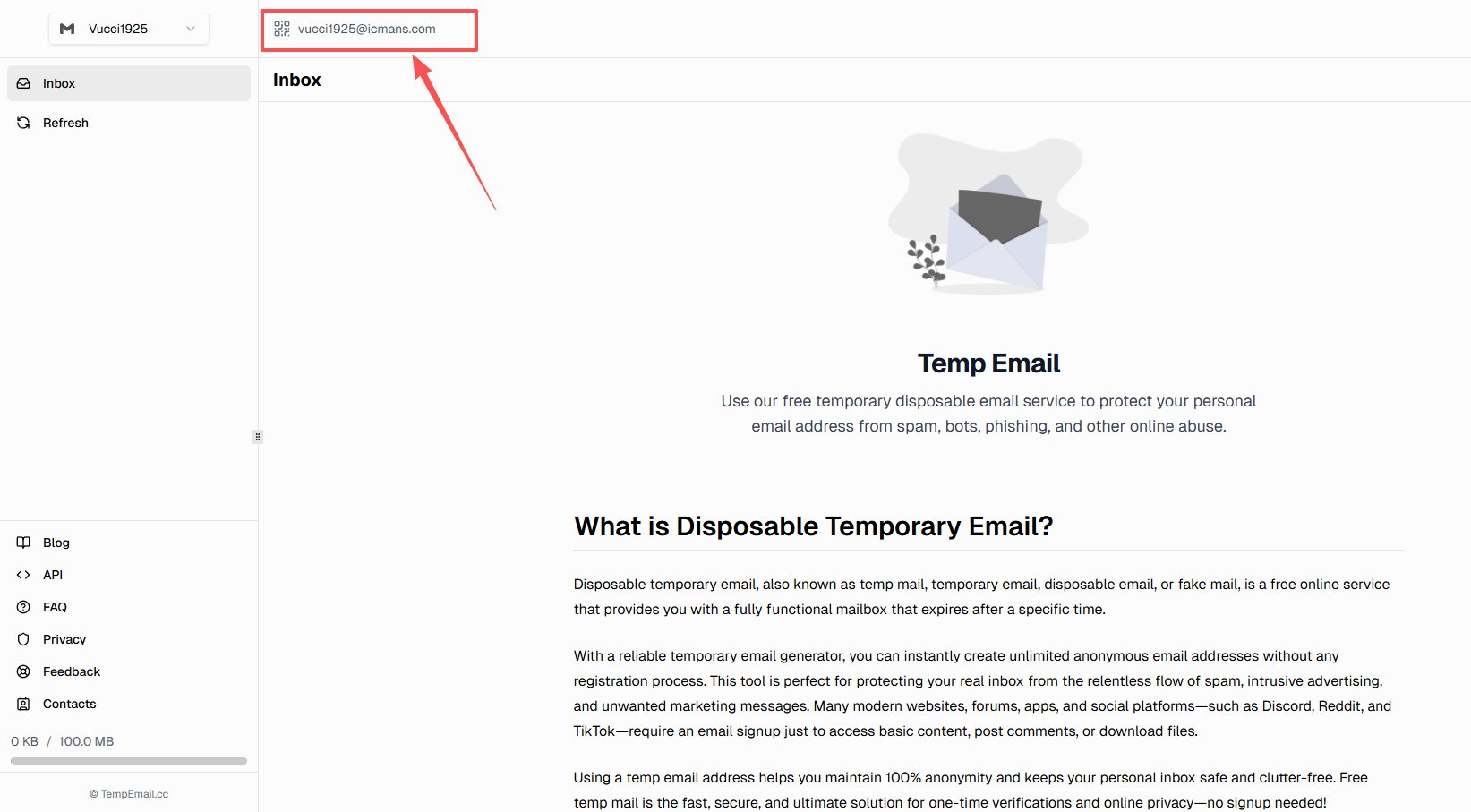
Go to https://tempemail.cc (or your chosen provider). The site instantly creates a random email address for you—no sign-up, no captcha in most cases.

Example: You might see something like [email protected]

● Copy the temporary email and paste it into the registration form

On the education tool, course platform, or trial page (e.g., Canva, Grammarly, GitHub Student Pack), paste your temporary address into the email field and click "Sign Up" or "Verify".

● Receive the verification email

Switch back to the Tempemail.cc tab (or refresh if needed). The verification email from the platform usually arrives within seconds. Open it, click the confirmation link, or copy the code and paste it back on the sign-up page.

● Manage or let the email auto-delete

Once verified, you can read any follow-up messages if needed (some trials send welcome PDFs or login details). When finished, just close the tab—the inbox expires automatically, erasing everything.

No need to "delete" manually in most cases.

step by step student tempmail guide flowchart

Important Safety Notes:

● Never use temporary email for important, long-term accounts (banking, government services, primary school email).

● Check the inbox promptly—most services delete messages after a set time.

● Avoid sharing sensitive personal info even in the temporary inbox.

This how to use temporary email for students process takes under 2 minutes once you're familiar with it.

3、Pro Tips & Advanced Tricks for Using Student TempMail

Once you're comfortable with the basics, these tricks can make student tempmail even more powerful:

● Manage multiple temporary inboxes at once

Open several browser tabs (one for each temporary email) or use incognito windows. On Tempemail.cc, you can quickly generate multiple addresses in the same session—perfect for testing several MOOC courses or claiming multiple student discounts simultaneously.

● Use browser extensions for speed

Install free Chrome/Firefox extensions like "Disposable Mailbox", "Temp Mail", or similar tools. They let you generate and switch between temporary emails with one click—no need to open new tabs every time.

● Handle specific education platform needs

GitHub Student Pack: Many students use temporary email to verify during the application process (GitHub accepts most disposable addresses). Generate one on Tempemail.cc, apply, receive the verification, and you're in.

Online labs/experiments (e.g., Codecademy, DataCamp, virtual machine trials): Use a fresh temporary address for each session to avoid cross-contamination of project accounts.

Quick academic surveys or beta testing: Sign up for research studies or early-access tools without polluting your main inbox.
On Tempemail.cc, you can quickly generate multiple emails and even bookmark the page with a custom parameter for instant access—great for heavy users during peak semester times.

These temporary mail edu tips and advanced student tempmail usage techniques help you scale privacy protection across dozens of sign-ups without extra effort.

You've now got the full toolkit. Next, let's cover the important safety considerations and limitations so you can use student tempmail wisely and avoid surprises.

Security and Limitations of Student TempMail

While temporary email for students is incredibly useful for quick sign-ups, privacy protection, and avoiding spam, it’s important to be realistic about its security and limitations. Like any tool, student tempmail has clear boundaries — knowing them helps you use it safely and effectively without unexpected problems.

Is Temporary Email Safe for Students? Key Security Risks

● Not suitable for sensitive or financial accounts

Never use a disposable email for anything involving real money, personal identity, or long-term access. This includes banking apps, payment platforms (PayPal, Stripe, Venmo), government services, cryptocurrency wallets, or even your primary school/university email recovery. If an account gets compromised or you lose access to the temporary inbox, recovery becomes nearly impossible.

● Risk of detection and blocking by platforms

Some education and service platforms (e.g., Coursera, edX, Udemy, GitHub, or certain student discount programs) actively detect and block disposable email domains. If a service sees you’re using a known temporary mail edu address, it may reject the registration or flag the account. This risk is higher with very popular or outdated providers, but less common with services that frequently rotate domains.

● Positive security features many services offer

Good temporary email providers (including Tempemail.cc) use HTTPS encryption for all connections, meaning your session and any received messages are protected in transit. Emails are also stored only temporarily and deleted automatically — reducing the chance of long-term data exposure compared to a permanent inbox.

Tempemail.cc places a strong emphasis on privacy protection, but like all temporary email services, it is not designed for long-term or highly sensitive use. It excels at short, low-risk tasks — not as a replacement for secure, permanent email.

Main Limitations of Student TempMail You Should Know

● Emails expire quickly:Most inboxes disappear after minutes, hours, or a few days (depending on the provider). If you need to access a verification link or important follow-up message later, you may lose it forever. Always check and save any critical information immediately.

● No reliable way to recover lost access:Since there’s no account login, if you close the tab or the inbox expires, there’s no “forgot password” option. This is by design for privacy — but it means you must treat temporary emails as truly disposable.

● Limited features compared to permanent email:No advanced filtering, search, or long-term storage. Attachment support is usually capped (small files only), and some providers may not support certain types of emails reliably.

How to Use Student TempMail Safely: Tips to Avoid Risks

● Pair student tempmail with a strong password manager (e.g., LastPass, Bitwarden, or 1Password) to generate and store unique passwords for each trial or test account.

● Use temporary email only for low-stakes activities — free trials, one-time webinars, academic downloads, and throwaway forum accounts.

● If a platform rejects your temporary address, try a different provider or wait a few hours — many services refresh their domain pools regularly.

In short, temporary email safety for students comes down to using it appropriately. When applied to the right scenarios, student tempmail limits and risks are minimal — and the privacy benefits far outweigh the drawbacks. Just remember: it’s a powerful short-term shield, not a full replacement for secure, long-term email habits.

With these safety basics covered, let’s wrap everything up with a clear summary and next steps so you can start protecting your inbox today.

Frequently Asked Questions (FAQ)

Here are the most common questions students ask about using temporary email for students, student tempmail, or temporary mail edu. These answers are based on real-world usage and cover the key concerns around privacy, reliability, and practical application.

Can students use one temporary email long-term?

No — temporary emails are designed to be short-lived by nature. Most services automatically delete the inbox after a few hours, days, or even minutes. This temporary design is what makes student temporary email so effective for privacy — once the task is done, there's no lingering data or spam trail. If you need ongoing access, stick to a permanent email account.

How can Tempemail.cc be used for student tempmail?

Tempemail.cc offers fast, free temporary email generation with no registration required. It works perfectly for education needs: sign up for course trials, claim student discounts, verify academic tools, or download resources — all without exposing your real inbox. Just visit the site, get an instant address, handle your verification, and let it expire. It's simple, reliable, and optimized for student scenarios.

Can temporary email receive attachments?

Yes, in most cases — but with limits. Providers typically support small files like PDFs, images, or documents (usually under 5–10 MB), which is sufficient for verification emails, welcome guides, or course handouts. Tempemail.cc handles typical student-use attachments well, though very large files or certain formats may not come through.

Can I use a temporary email to get a real .edu address?

No — temporary services can only simulate .edu-style addresses (e.g., using .edu-like aliases or domains that look academic). They are not real .edu emails issued by accredited universities. Official .edu domains require enrollment at a qualifying institution. However, many platforms accept simulated versions for trials or basic sign-ups.

Will using temporary email affect notifications from learning platforms?

No, as long as you check the inbox promptly during the active period. Verification emails and initial confirmations arrive quickly. After that, most platforms send future notifications to the registered address — so if it's temporary and expires, you won't get ongoing updates. For courses requiring long-term communication, use your real email.

If I close the page, can I still recover my emails?

In most cases, no. Temporary inboxes are session-based or tied to the open tab/window. If you close it or the retention time expires, the messages are permanently deleted — there's no recovery option. Always save important info (e.g., copy verification codes, download attachments immediately) before closing.

Will education platforms detect and ban temporary emails?

There is some risk. Certain platforms (e.g., Coursera, edX, or strict student discount services) actively block known disposable domains. Detection isn't 100% guaranteed, but it happens occasionally. To minimize issues, choose low-profile or frequently updated services. Tempemail.cc tends to stay under the radar for most education use cases.

Is there a more convenient way to use temporary email besides the website?

Yes — many users prefer browser extensions (e.g., Chrome/Firefox add-ons like "Temp Mail" or "Disposable Mailbox") for one-click generation and inbox access without opening new tabs. Some providers also have lightweight mobile apps or progressive web apps. These make student temporary email even faster during busy study sessions.

Does your blog/service offer real .edu email addresses?

No — Tempemail.cc focuses on universal, free temporary email addresses rather than official .edu domains. It cannot provide genuine .edu emails (which are only issued by schools). That said, its addresses work great for simulating education scenarios, trials, and privacy-focused sign-ups.

These student temporary email FAQ and edu temp mail questions and answers cover the essentials. If you have more questions, feel free to experiment safely with a quick generation on Tempemail.cc!

Conclusion: Unlock Spam-Free Student Life with TempMail Today

In this complete student tempmail guide, we've explored how temporary mail edu and temporary email for students have become essential tools for modern learners. By using a disposable inbox like the one provided on Tempemail.cc, you gain powerful benefits: strong privacy protection to shield your real email from leaks and misuse, a dramatic reduction in spam and promotional clutter that overwhelms your main inbox, and effortless management of multiple accounts for trials, courses, discounts, and academic projects.

Whether you're claiming a free Canva Pro student plan, signing up for a one-time webinar, downloading research papers safely, testing forum accounts for class assignments, or simply keeping educational promotions separate from important school notifications — student tempmail gives you control and peace of mind without any long-term commitment.

Of course, remember the key reminders: always use it wisely. Avoid sensitive accounts (banking, payments, or official school recovery), check inboxes promptly before they expire, and be aware that some platforms may detect disposable addresses. When used in the right scenarios, the temporary mail edu benefits far outweigh the minor limitations.

Protect your privacy, simplify your student life, and enjoy the vast world of free and discounted education resources without the spam headache. Start today — your cleaner inbox is just one click away!

Generate Your Temporary Email Now on Tempemail.cc →

最新文章

Temp Mail API for Automated Testing: How Developers Use Disposable Inboxes in Modern Workflows
2026年2月12日

Temp Mail API for Automated Testing: How Developers Use Disposable Inboxes in Modern Workflows

Temp Mail for Social Media: Stay Private and Spam-Free When Signing Up Anywhere
2026年2月11日

Temp Mail for Social Media: Stay Private and Spam-Free When Signing Up Anywhere

Temp Mail for Netflix: How to Use a Temporary Email Safely for Account Sign-Up
2026年2月9日

Temp Mail for Netflix: How to Use a Temporary Email Safely for Account Sign-Up

Temp Mail for Facebook: A Complete Guide to Privacy-Safe Signup in 2026
2026年2月7日

Temp Mail for Facebook: A Complete Guide to Privacy-Safe Signup in 2026

目錄

  • What is Student TempMail?
  • Why Students Need Temporary Mail?
  • Top 5 Best Scenarios for Students Using TempMail
  • How to Get and Use Student TempMail: Step-by-Step Guide 2026
  • Security and Limitations of Student TempMail
  • Frequently Asked Questions (FAQ)
  • Conclusion: Unlock Spam-Free Student Life with TempMail Today
返回 Temp mail