10 Minute Mail has been the first name people think of when they need a throwaway inbox. It's fast, it's free, and it's been around since 2006. But in practice, the 10-minute timer can be too short for some modern sign-up flows, the address offers limited customization, you can't send mail from it, and disposable email domains are frequently blocked by major websites.
So if you've ever watched the timer hit zero while your verification email was still on its way, you're not alone — and you're probably looking for a 10 minute mail alternative that actually works. We tested ten popular disposable email services and compared them on the things that matter: how long the inbox lives, whether you can pick your own address, whether it can send mail, whether the domain gets blocked, and whether the service is truly free.
If you just want the short version, jump to the comparison table , the picks by use case , or go straight to the full reviews.
Best 10 Minute Mail Alternatives at a Glance
| Tool | Inbox lifetime | Custom address | Can send | Attachment | Mobile app | Ads |
|---|---|---|---|---|---|---|
| Temp Mail (temp-mail.org) | Long-term (reusable) | Limited | No | Yes | Yes (iOS/Android) | Yes |
| Tempemail.cc | Reusable inbox | Yes | No | Yes | Web (responsive) | No |
| Guerrilla Mail | 60 min (extendable) | Yes (11 domains) | Yes | Limited | Yes (Android) | Yes |
| YOPmail | 8 days | Yes | No | Not confirmed | Web | Yes |
| Maildrop | Session-based | Yes | No | Filtered | Web | Minimal |
| EmailOnDeck | "Longer than 10 min" | Not confirmed | No | Not confirmed | Web | Yes |
| Mohmal | 45 min (extendable) | Random | No | Not confirmed | Yes (Android) | Yes |
| Dispostable | Not stated | Yes | No | Not confirmed | Web | Minimal |
| Throwawaymail | Short session | Random | No | Not confirmed | Web | Yes |
| Cloudflare Email Routing | Permanent (your inbox) | Yes (your domain) | No (forwarding only) | Yes | Via target inbox | No |
Our testing: 10 services · August 2026 · 8 core criteria · Direct testing + official documentation
Note: “Not confirmed” means we couldn't verify the feature through direct testing or reliable official documentation.
Which 10 Minute Mail Alternative Is Best for You?
With ten services in front of you, the practical question isn't "which is best" — it's "which is best for what I'm doing right now." Picking by feature beats picking by brand. Below, we group the options by the actual goal you're trying to achieve.
If you just need one quick verification code
You want the fastest possible path from "open a tab" to "have an inbox," with no friction. Ads, sign-ups, and account creation all get in the way here.
→ Throwawaymail, Dispostable, or Tempemail.cc. All three are one-click, no-registration, and (in Tempemail.cc's case) ad-free. For a single throwaway code, don't overthink it — pick whichever loads fastest on your connection.
If you need the inbox to last hours or days
The 10-minute timer is the thing you're trying to escape. You might be waiting on a delayed verification email, or you need to receive several messages over time (a confirmation, then a follow-up, then a receipt).
→ YOPmail (8 days — by far the longest) or Temp Mail (reusable address that doesn't auto-expire). For anything where you might come back tomorrow, these beat a session-based inbox.
If you want to pick your own email address
A custom address is more memorable, can be reused across sessions on services that allow it, and (sometimes) slips past pattern-based blocklists that flag random strings.
→ Maildrop, YOPmail, Tempemail.cc, or Guerrilla Mail. All four let you type your own username. Maildrop and YOPmail are the most flexible; Guerrilla Mail adds the bonus of multiple selectable domains.
If you need to actually send a message
This is the rarest requirement and narrows the field dramatically. Almost every temp-mail service is receive-only.
→ Guerrilla Mail is essentially your only mainstream option. If sending is a hard requirement, start there; if you need reliable sending (not anonymous), you're better off with a real email account.
If you keep getting "email domain not allowed" errors
This is the most common reason people abandon a temp-mail service, and the hardest problem to solve with public disposable domains. The fix is either rotating through many domains, or using a domain that isn't on blocklists at all.
A strong long-term option: Cloudflare Email Routing on your own domain — using your own domain can reduce the risk of disposable-email blocklists, although individual websites can still block specific domains or apply other email restrictions.
If you're on mobile
Web-only temp-mail services work on a phone browser, but a native app is meaningfully better for receiving push notifications when a verification email lands.
→ Temp Mail has the best iOS and Android apps in the category. Mohmal is the mobile-friendly pick for Arabic speakers. Guerrilla Mail has an Android app as well.
If you're a developer integrating temp mail into an app
You're not looking for an inbox UI — you need an API.
→ None of the services above are API-first. For that, look at Mail.tm, which offers a free REST API with JWT auth and no API key required. It's the developer-friendly pick and worth a separate evaluation if programmatic access is what you need.
10 Best 10 Minute Mail Alternatives in 2026
Below are the ten services we tested, listed roughly by overall usefulness for the common problems people run into with 10 Minute Mail, rather than by a formal numerical score — short timer, blocked domains, no customization, ads. Each review follows the same format: what it is, what's good, what's bad, and who it's best for.
1. Temp Mail (temp-mail.org)
Temp Mail is the closest thing the category has to a household name, and for a lot of people it's the default alternative to 10 Minute Mail. The big difference is the inbox: instead of self-destructing after ten minutes, the address can remain reusable instead of automatically expiring after ten minutes, so you can keep using the same inbox across multiple sign-ups.
Pros: Strongest mobile experience, (iOS and Android), receives attachments, supports 45+ languages, no sign-up.
Cons: The temp-mail.org family of domains is heavily blocklisted — expect rejections on most major platforms. The free web version is ad-heavy, and a Premium tier is pushed for ad removal and longer retention.
Best for: Mobile users who want a quick, app-based throwaway inbox and don't need it to pass strict blocklists.
2. Tempemail.cc
Tempemail.cc is built around a simple idea: a disposable inbox that doesn't monetize your attention. There are no ads, no registration, and no personal data collection — you land on the site, pick an address (or customize one), and start receiving. It's a receive-only service, which is standard for the category, but what sets it apart is the multi-domain setup: when one domain gets flagged by a picky sign-up form, you can switch to another without losing your inbox.
Pros: Ad-free, no account required, customizable address, multiple domains to dodge blocklists, inboxes can be deleted or swapped at will.
Cons: Receive-only (no outgoing mail), no native mobile app.
Best for: People who want a clean, fast, ad-free inbox and the flexibility to rotate domains when a site blocks the first one.
3. Guerrilla Mail (guerrillamail.com)
Guerrilla Mail is the odd one out, in a good way: it can actually send mail, not just receive it. That alone makes it worth knowing about, since almost every other service on this list is receive-only. You get a 60-minute inbox (extendable), around eleven domains to choose from, and full control over the username.
Pros: The only mainstream temp mail that supports sending, eleven selectable domains, customizable address, Android app available.
Cons: The interface looks like it stopped being redesigned in 2012, and the Guerrilla domains (sharklasers.com, grr.la, etc.) are well-known to blocklists. Attachments are more limited than the usual 25MB ceiling.
Best for: Anyone who specifically needs to send an anonymous message, not just receive one.
4. YOPmail (yopmail.com)
If your problem with 10 Minute Mail is that the inbox dies too fast, YOPmail is the opposite extreme: messages are kept for eight days. You can type any [email protected] address and start receiving instantly, no account needed. It also supports alternate domains that forward to the same inbox.
Pros: Eight-day retention (the longest on this list), fully custom address, no registration, alternate domains available.
Cons: Inboxes are public — anyone who knows or guesses your address can read your mail, so it's unsafe for anything sensitive. The site is also ad-heavy, and yopmail.com is widely blocklisted.
Best for: Low-stakes, long-running sign-ups where you need to receive multiple emails over several days and don't care about privacy.
5. Maildrop (maildrop.cc)
Maildrop is an open-source favorite for people who want a clean, customizable inbox. Type any address @maildrop.cc and you've got an inbox. The code is on GitHub, which gives it a transparency edge over closed-source competitors.
Pros: Fully customizable address, open source, minimal ads, no registration.
Cons: The built-in spam filtering is aggressive — legitimate verification emails sometimes get caught. The exact inbox lifetime isn't documented, and there's no native mobile app.
Best for: Technically-minded users who value open source and want a no-frills custom-address inbox.
6. EmailOnDeck (emailondeck.com)
EmailOnDeck positions itself almost as a direct rebuttal to 10 Minute Mail — its pitch is literally that its inbox "lasts longer than 10 minutes." The exact lifetime isn't pinned down, but it's session-level rather than a hard 10-minute cutoff, which solves the single biggest complaint about 10minutemail.
Pros: Explicitly longer-than-10-minute lifetime, no registration, simple flow.
Cons: The interface is dated, the precise retention isn't documented, and like most older services the domain is likely partially blocklisted.
Best for: Anyone whose main pain point is "10 minutes isn't enough."
7. Mohmal (mohmal.com)
Mohmal is the leading disposable-email service for the Arabic-speaking world, billing itself as the first Arabic temp mail. Inboxes last 45 minutes by default but can be manually extended, and there's an Android app with Arabic and English support.
Pros: Best Arabic-language support in the category, extendable 45-minute inbox, Android app.
Cons: 45 minutes is on the short side, the interface is primarily Arabic (which may not suit everyone), and international awareness is low.
Best for: Arabic-speaking users who want a native-language experience with mobile support.
8. Dispostable (dispostable.com)
Dispostable is about as minimal as it gets. Type a custom username or hit the random button, and you have an inbox. No settings, no dashboard, no clutter.
Pros: Dead-simple, custom address supported, no registration, almost no UI to learn.
Cons: Almost no documentation — inbox lifetime isn't stated, no attachment info, no app, and the site offers very little beyond the basics.
Best for: When you just need an inbox, instantly, and don't care about features.
9. Throwawaymail (throwawaymail.com)
Throwawaymail is another one-click option: land on the page, get an inbox. It shares the "as simple as possible" philosophy of Dispostable, with a short session-based lifetime.
Pros: One-click inbox, no registration, nothing to configure.
Cons: Random (non-custom) address, short session lifetime, no documented attachment support, and no published privacy policy we could find.
Best for: The fastest possible one-off sign-up where you'll never need the address again.
10. A Long-Term Alternative: Use Your Own Domain
This one's different: Cloudflare Email Routing isn't a disposable-email service at all, it's a free forwarding layer for your own domain. Set up [email protected] with a catch-all rule and every address forwards to your real inbox. The payoff is huge — because it's your own domain, you avoid many of the blocklists specifically targeting known disposable-email domains, which is the one thing every other service on this list struggles with.
Pros: Own domain (so no blocklist problem), permanent retention, free, no ads, unlimited aliases, full attachment support, enterprise-grade privacy.
Cons: Requires owning a domain and some setup — not a "click and go" option, and it's forwarding-only (no sending unless you add a separate SMTP provider).
Best for: Power users and anyone who's tired of temp-mail domains being rejected and wants a long-term, reliable solution.
Why Switch From 10 Minute Mail?
10 Minute Mail works well for quick, one-off verification, but its short inbox lifetime and limited flexibility can become frustrating when a signup takes longer than expected. Depending on the service, a 10 Minute Mail alternative may give you more time, greater control over your address, or additional ways to access your inbox.
| Feature | 10 Minute Mail | Alternatives |
|---|---|---|
| Inbox lifetime | 10 minutes | Minutes to days or reusable |
| Custom address | Not a core feature | Often available |
| Multiple domains | Not a core feature | Available with some services |
| Sending email | No | Available with some services |
| Mobile apps | Not a core feature | Available with some services |
| Own domain | No | Possible with email forwarding |
The main advantage of an alternative isn't simply a longer timer. Depending on your needs, you may also get custom addresses, multiple domains, longer retention, mobile apps, or outgoing mail.
How We Tested These Alternatives
To keep the comparison fair, we evaluated all ten services using the same criteria during our August 2026 testing period. Rather than focusing on raw delivery speed—which depends heavily on the sender—we focused on features and limitations that users can directly experience.
What We Tested Directly
For each service, we checked:
- Inbox creation: How quickly an inbox can be created and whether registration is required.
- Inbox lifetime: How long the address and its messages remain accessible.
- Custom address: Whether users can choose their own username or must use a randomly generated address.
- Sending: Whether the service supports outgoing email in addition to receiving messages.
- Attachments: Whether the inbox can receive email attachments.
- Usability: The interface, ease of navigation, and overall user experience.
- Ads and restrictions: The presence of ads, premium prompts, usage limits, or other friction.
- Mobile access: Whether the service provides a native mobile app or a usable mobile web experience.
Where a feature wasn't clearly documented or couldn't be reliably verified, we marked it "Not confirmed" rather than relying on outdated third-party information.
What We Couldn't Reliably Test
Email domain acceptance is different. No single test can determine whether a disposable email domain will be accepted by every website. Individual platforms use different blocklists, reputation systems, and signup rules, and those restrictions can change over time.
For that reason, we treated domain blocklisting and acceptance as an observed or reported signal, not a permanent property of any service. We used direct observations as the primary source where possible, supplemented by official documentation and, for domain acceptance, relevant blocklist information and community reports, but we don't claim that any provider will work on every website.
This distinction matters because a domain that works on one signup form today may be rejected by another tomorrow. If you encounter an "email domain not allowed" message, switching to another domain or using a domain you control may help, but no temporary email service can guarantee acceptance everywhere.
What to Look for in a 10 Minute Mail Alternative
Not every alternative solves the same problem. Before switching from 10 Minute Mail, focus on the features that matter most for your use case:
- Inbox lifetime: If 10 minutes isn't enough, look for a longer or reusable inbox that gives you more time to receive delayed verification emails.
- Domain availability: Disposable domains are often blocked by websites. Services with multiple domains or better domain reputation are more likely to work when you encounter an "email domain not allowed" error.
- Custom addresses: A custom username makes an inbox easier to remember and reuse than a randomly generated address.
- Send capability: Most temporary email services are receive-only. If you need to reply or send messages, choose an alternative that supports outgoing email, such as Guerrilla Mail.
- Privacy and security: Check whether inboxes are public, whether messages are protected, and how the service handles your data. Never use an unsecured temp inbox for sensitive information.
- Ease of use and cost: Consider whether registration is required, how many ads are shown, and whether the features you need are actually free.
The best 10 Minute Mail alternative isn't necessarily the one with the most features. It's the one that solves the specific limitation you're trying to get around.
When Not to Use a 10 Minute Mail Alternative
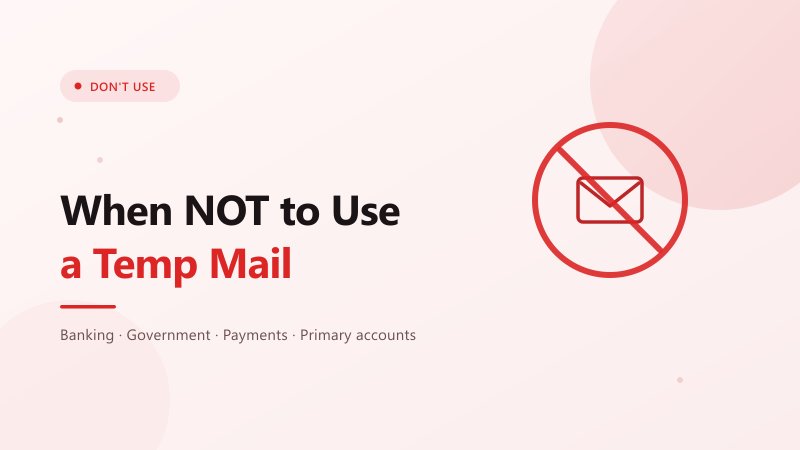
Disposable email is useful for one-off signups and verification, but it isn't suitable for accounts or services you may need to access later. Avoid using a temporary address for:
- Banking and payments: Bank accounts, credit cards, PayPal, crypto exchanges, and other financial services need reliable access for alerts, receipts, and account recovery.
- Government and official services: Tax portals, healthcare, immigration, and ID services may send important or legally significant messages that you need to keep.
- Primary accounts: Don't use temp mail for your main Google, Apple, Microsoft, social media, or work accounts. If losing access would be a serious problem, use a permanent email instead.
- Paid services and subscriptions: Receipts, renewal notices, licenses, and password resets may arrive months after signup.
- Anything long-term: If you expect a service to contact you again, a disposable inbox is usually the wrong choice.
A simple rule: If losing access to the inbox would cause a real problem, don't use temp mail. If you can simply generate a new address and move on, a temporary email is usually fine.
Frequently Asked Questions
Is 10 Minute Mail safe to use?
For receiving a single low-stakes verification email, yes. 10 Minute Mail stores messages in memory and the inbox expires after 10 minutes, so there's little lingering data to leak. That said, a temporary inbox is never a secure place for sensitive information — anything tied to your real identity, or anything you might need to recover later, should never go through it.
Why is 10 Minute Mail not receiving emails?
The most common reasons are that the sender hasn't delivered yet and the 10-minute timer already expired, or that the sender's platform silently drops mail to known disposable domains. If the address expired, you'll need a new one; if it's a blocklist issue, switch to a service with multiple domains (Tempemail.cc, Guerrilla Mail) or use your own domain via Cloudflare Email Routing.
Can I extend the 10-minute timer?
On 10minutemail.com itself, no — once it's gone, it's gone, and you get a fresh address. If you need more time, use a service with a longer or extendable lifetime: YOPmail (8 days), Guerrilla Mail (60 min, extendable), Mohmal (45 min, extendable), or any reusable-inbox option like Temp Mail or Tempemail.cc.
Are temp mail services legal?
Disposable email itself is generally legal to use, but laws, regulations, and individual website terms vary by jurisdiction and service. Using temporary email for ordinary privacy or spam reduction is different from using it for fraud, abuse, or other unlawful activity.
Which temp mail works for X (Twitter), Reddit, and similar sign-ups?
Honestly: very few public disposable domains do, because those platforms maintain aggressive blocklists. Your best bets are services that rotate through many domains (Tempemail.cc, Guerrilla Mail), services that use real-looking domains (Smailpro offers Gmail/Outlook-style addresses, with the caveat of being a third party), or — most reliably — Cloudflare Email Routing on your own domain.
Final Verdict
There's no perfect disposable email service — every one trades off between convenience, longevity, privacy, and not getting blocked. But the right pick depends on what drove you away from 10 Minute Mail in the first place:
- If the 10-minute limit was your problem, go with YOPmail or Temp Mail.
- If blocked domains were your problem, go with Tempemail.cc for rotating domains, or Cloudflare Email Routing if you own a domain and want a permanent fix.
- If you need to send mail, Guerrilla Mail is essentially your only mainstream option.
For everyday, low-stakes sign-ups, Tempemail.cc is a strong fit if you prioritize an ad-free experience, custom addresses, and multiple domains. If longevity matters more, YOPmail or Temp Mail may be a better match. If sending is essential, Guerrilla Mail is the more appropriate choice.