You open your inbox and see an urgent email: "URGENT: Your eBay Account Has Been Suspended." Your heart races—you've been selling on eBay for years. Without thinking, you click to verify your identity. Within minutes, scammers have your credentials. Within hours, they've locked you out and started listing expensive items using your reputation. By the time you realize what happened, thousands of dollars are gone.
This scenario plays out thousands of times every day.
According to the FBI's 2023 Internet Crime Report, phishing remains the top reported cybercrime, with over 298,000 complaints and losses exceeding $10.3 billion. The Anti-Phishing Working Group (APWG) reports that e-commerce platform impersonation—including eBay—represents approximately 18% of all phishing attacks.
For casual buyers, losses might range from hundreds to a few thousand dollars. For active sellers, the damage can be devastating—tens of thousands in fraudulent transactions, plus long-term reputation damage.
The critical insight: eBay scam emails aren't clumsy spam—they're sophisticated psychological attacks designed by criminals who understand human behavior. The good news? Once you recognize their patterns, these scams become remarkably easy to spot.
This guide will walk you through everything you need to know: the five most common scam types, specific identification techniques, step-by-step response procedures, and answers to frequently asked questions. By the end, you'll have a complete protection framework to keep your eBay account—and your finances—secure.
What eBay Scam Emails Are?
eBay scam emails are a specialized form of phishing designed to trick users into revealing sensitive information or taking actions that benefit attackers. While phishing broadly involves impersonating trusted entities to steal data, eBay scams specifically target the platform's users because accounts often contain financial information, reputation scores, and active listings, making them high-value targets.
The Fundamental Nature of eBay Scam Emails
Phishing—derived from “fishing”—uses bait to lure victims, whether through emails, texts (smishing), or calls (vishing). eBay scam emails are a subtype where the attacker mimics eBay communications. They exploit familiarity with eBay terminology, realistic transaction details, and professional-looking layouts to gain trust.
The key danger is specificity: unlike generic phishing, eBay scams are tailored for a platform where users conduct real transactions. A successful scam can lead to account compromise, financial loss, or reputational damage. Understanding the structure of these emails is essential for identifying and avoiding them.
The Four Pillars of eBay Scam Emails
Every effective eBay scam email relies on four pillars: impersonation, psychological triggers, call-to-action (CTA), and malicious destination.
- Impersonation Layer – Scammers replicate eBay’s branding and tone to appear legitimate. This includes logos, colors, fonts, email layouts, realistic-looking account or order numbers, and even spoofed sender addresses (like “[email protected]”). The goal is immediate recognition and trust.
- Psychological Triggers – These emails manipulate emotions to prompt immediate action:
- Urgency: Threats like “Your account will be suspended in 24 hours” push victims to act without thinking.
- Fear: Warnings about unauthorized transactions or negative feedback exploit anxiety.
- Curiosity: Mysterious order notifications or unexpected messages entice clicks.
- Greed: Promises of prizes, discounts, or refunds trigger excitement that bypasses caution.
- Call-to-Action (CTA) – Clear, visually prominent buttons or links drive the victim to act. Scammers use active language (“Verify Now,” “Secure Account”) and multiple CTAs to maximize the chance of interaction.
- Malicious Destination – Clicking the CTA often leads to phishing sites, malware downloads, or fake login pages designed to harvest credentials or payment details.
By understanding these pillars, users can analyze suspicious emails and recognize red flags before damage occurs.
How eBay Scam Emails Work?
eBay scam emails function as precision attacks, combining technical deception with psychological manipulation to achieve specific goals:
- Credential Theft: Recipients are tricked into entering login information on fake eBay login pages.
- Malware Delivery: Attachments or links may install malware to harvest data or compromise devices.
- Financial Fraud: Victims are directed to provide payment details, allowing unauthorized transactions.
The Impact of eBay Scam Emails: By the Numbers
| Metric | Data Source | Insight |
|---|---|---|
| 35% | Anti-Phishing Working Group 2024 | E-commerce phishing accounts for over a third of all phishing attacks |
| $1,200 | FBI IC3 Report | Average financial loss per compromised account |
| 78% | Cybersecurity Research | Proportion of scam emails using urgency-based language |
Key Point: Phishing refers to the method (tricking users into giving data), while “scam” highlights the intent (financial or personal gain). eBay scams exploit both, using platform-specific knowledge to maximize effectiveness.
5 Most Common eBay Scam Email Types
Receiving suspicious emails pretending to be from eBay is increasingly common. Understanding the 5 most common eBay scam email types can help you protect your account, avoid phishing traps, and reduce the risk of fraud. Following these examples also ties into broader email security practices, including how to stop spam emails and knowing what to do if your email is hacked.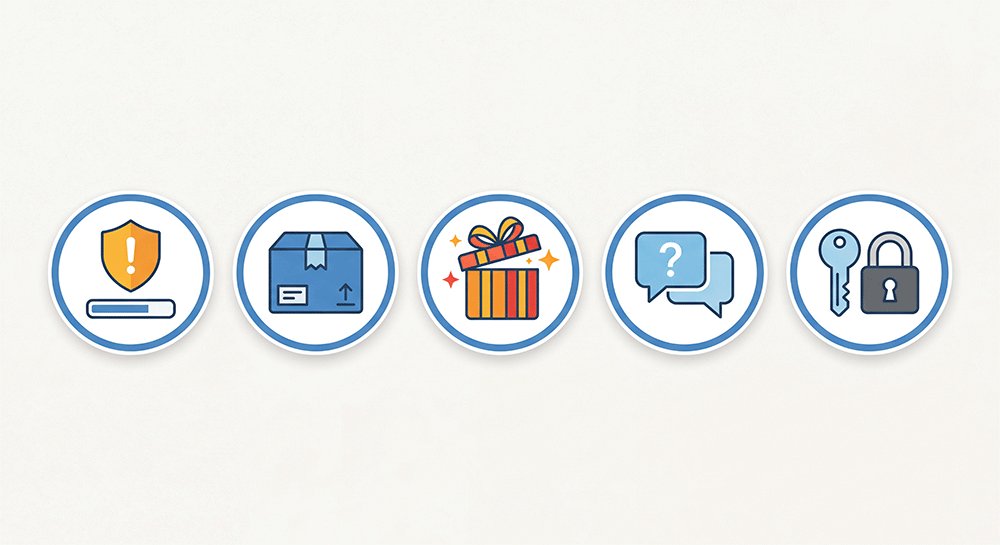
1. "Account Suspended/Limited" Scam
Typical wording:
"Your eBay account has been suspended due to suspicious activity. Click here to verify your identity within 24 hours or your account will be permanently closed."
Scam characteristics:
- Creates strong sense of urgency ("within 24 hours")
- Threatens permanent account closure
- Links to fake login pages designed to steal credentials
⚠️ Action tip:
💡 If you receive such an email: Do not click any links! Visit www.ebay.com directly and log into your account to check your real status. eBay will never ask you to click a link in an email to "restore your account."
2. "Order Confirmation/Shipping Notification" Scam
Typical wording:
"Order #1234567890 has been shipped. Track your package here. If you did not place this order, click here to cancel."
Scam characteristics:
- Item you didn't purchase appears "shipped"
- Exploits curiosity to induce clicking "cancel order"
- Links request login information to "verify identity"
⚠️ Action tip:
💡 Verify immediately: Log into eBay website → Go to "Purchase History." If there's no matching order, it's 100% a scam email. Delete the email and do not reply.
3. "Prize/Exclusive Discount" Scam
Typical wording:
"Congratulations! You've been selected as our monthly winner of an iPhone 15 Pro! Claim your prize by clicking here."
Scam characteristics:
- Exploits greed and excitement
- Requires "paying small shipping/tax fee" to claim prize
- Prize value is unrealistically high
⚠️ Action tip:
💡 Remember: eBay will never notify you of a "prize win" via email. Any "prize" requiring upfront payment is a scam. Genuine eBay promotions appear in your on-site messages after you log in.
4. "Buyer Inquiry" Scam
Typical wording:
"Hi, I'm very interested in your item but I have a few questions. Please contact me directly at whatsapp +1-xxx-xxx-xxxx or email me at [email protected]"
Scam characteristics:
- Fakes buyer identity
- Induces off-platform contact (bypassing eBay protection)
- Later sends phishing links or fraudulent payment requests
⚠️ Action tip:
💡 Golden Rule: Always communicate within the eBay platform. Any "buyer" requesting to switch to WhatsApp/Email/WeChat is suspicious. Genuine buyers will contact you through eBay's internal messaging system.
5. "Password Reset" Scam
Typical wording:
"We received a request to reset your eBay password. If you didn't make this request, click here to secure your account immediately."
Scam characteristics:
- Fakes "someone tried to reset your password"
- Exploits account security panic
- Induces clicking "confirm identity" link to steal credentials
⚠️ Action tip:
💡 Correct approach: Do not click links in the email! Visit ebay.com directly and try to log in. If your password was changed, use the official "Forgot Password" process to reset it. Genuine password reset requests are sent to your registered email with a verification code, not a clickable link.
Protect Yourself from eBay Scams
Understanding these scam types is only the first step. To fully protect your account and personal information:
- Learn how to stop spam emails by using email filters, temporary addresses for untrusted sign-ups, and reporting suspicious messages.
- Know what to do if your email is hacked: immediately change passwords, enable 2FA, review account activity, and notify eBay if needed.
- Always verify emails through official channels, never click on suspicious links, and regularly review account notifications.
By combining awareness of scam types with proactive email security measures, you minimize risks and stay in control of your eBay experience.
How to Quickly Identify eBay Scam Emails?
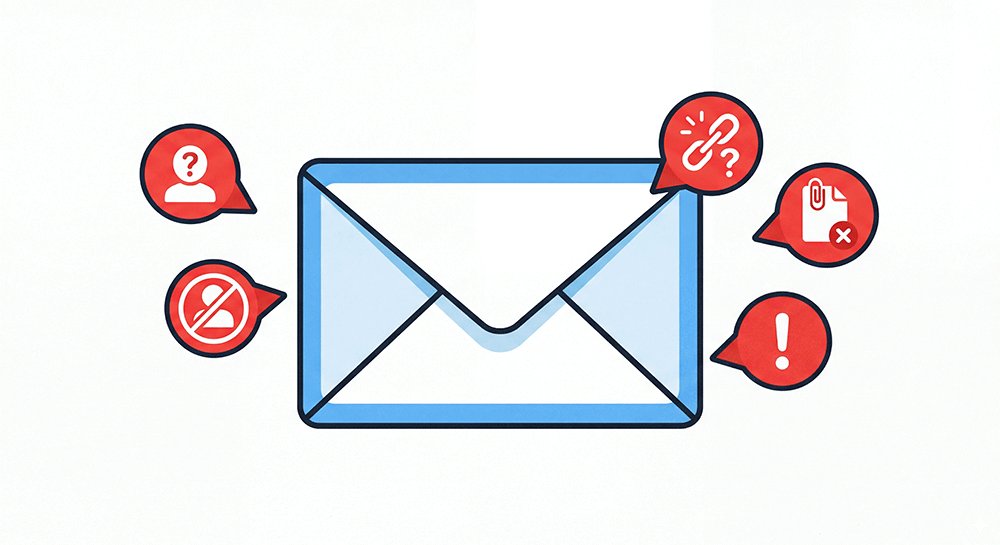
Recognizing scam emails before interacting with them is crucial to protecting your account and personal data. Scammers often disguise themselves as legitimate eBay communications, but a few careful checks—on the sender, links, and content—can quickly reveal a fraudulent message. The following methods show you how to spot suspicious emails efficiently.
Check the Sender Address
One of the easiest ways to spot a scam email is by carefully checking the sender's address. Scammers often try to disguise their emails as legitimate eBay communications, but subtle differences in the domain can reveal a fake. The table below highlights the most common legitimate eBay addresses versus known scam variants:
| Legitimate eBay Addresses | Common Scam Variants (Fake) |
|---|---|
| @ebay.com | @ebay-security.com ❌ |
| @ebaymembers.com | @ebay-verify.com ❌ |
| @ebl.com (eBay subsidiary) | @ebay-confirmation.net ❌ |
💡 Tip: In your email client, hover over the sender name to reveal the full address—don't rely only on the "display name" (scammers can set it to "eBay Security").
Check Link Safety
| Check Item | How To | Red Flag |
|---|---|---|
| Hover to preview | Hover over link, check bottom status bar | URL unrelated to ebay.com |
| Short links | Be wary of bit.ly, t.co, tinyurl | Cannot preview real destination |
| Subdomain spoofing | Check main domain | login-ebay.com ❌ (fake) vs ebay.com ✅ |
🔧 Recommended Tools:
- VirusTotal - Paste link to check safety
- CheckPhish - AI-powered phishing detection
- Google Safe Browsing
Content Red Flags Comparison Table
| 🚩 Red Flag | Legitimate eBay Email | Scam Email |
|---|---|---|
| Urgency | ❌ No panic created | ✅ "Must act within 24 hours" |
| Grammar/spelling | ✅ Professional, error-free | ❌ Common errors like "eBey" |
| Personal info | ✅ Includes username/last 4 card digits | ❌ Generic "Dear User" |
| Link requests | ❌ No clickable links for verification | ✅ "Click here immediately" |
| Attachments | Rarely sent | Often has suspicious attachments (.zip, .exe) |
| Threatening language | ❌ None | ✅ "Account will be deleted" |
Use temporary email for untrusted sign-ups to reduce exposure.
Technical Verification Methods (3-Step Confirmation)
Method 1: Official Channel Verification (Most Reliable ⭐⭐⭐)
- Completely ignore the email, don't click any links
- Manually type www.ebay.com into your browser
- Log into your account → Check "Messages" or account notifications
- If the official site shows no related notifications → 100% scam email
Method 2: eBay App Verification
- Open the official eBay App (not browser)
- Check the "Notifications" tab at the bottom
- In-app notifications are more reliable than emails
- If not in the app = the email is fake
Method 3: Two-Factor Authentication (2FA) Check
- If the email claims "account unusual activity"
- But you didn't receive a 2FA push/SMS
- → 100% scam (genuine unusual login attempts trigger 2FA)
By carefully checking sender addresses, links, content red flags, and using technical verification methods, you can avoid falling for most eBay scam emails. Once you’ve identified a suspicious email, it’s important to know what to do if you accidentally click a link or provide information. See the next section: What to Do If You Receive an eBay Scam Email to protect your account and minimize potential damage.
What to Do If You Receive an eBay Scam Email?
Even with careful inspection, sometimes scam emails slip through—or you might accidentally click a malicious link. Knowing the correct steps to respond can prevent account compromise, protect your funds, and stop scammers from gaining access to your personal information. The following guidance shows immediate actions, reporting channels, and long-term prevention strategies to secure your eBay account.
[Calm Response Process - 4-Step Method]
Don't Panic → Change Passwords → Check Account → ReportImmediate Actions (If You Clicked a Link/Entered Information)
| Priority | Action | Specific Steps | Time Requirement |
|---|---|---|---|
| 🚨 P0 | Change eBay password | ebay.com → Account → Login & Security → Password | Immediately |
| 🚨 P0 | Change email password | Prevent email takeover to reset eBay password | Immediately |
| 🔐 P1 | Enable 2FA | Security → 2-Step Verification → Turn On | Within 24 hours |
| 🔍 P1 | Check account activity | Account Settings → Recent Activity → Check for anomalies | Within 24 hours |
| 📞 P2 | Contact eBay support | Report possible account compromise, request monitoring | Within 48 hours |
Reporting Scam Emails
Report to eBay
- 📧 Forward to:
[email protected] - 📧 Subject: "Phishing email received"
- Attach the original email (forward as attachment to preserve full header information)
Report to Law Enforcement
| Region | Reporting Channel | Website |
|---|---|---|
| 🇺🇸 United States | FBI IC3 | ic3.gov |
| 🌍 International | Anti-Phishing Working Group | apwg.org/report-phishing |
| 🇪🇺 Europe | Europol | europol.europa.eu |
Report to Email Provider
- Gmail: Open email → Click "More" (three dots) → "Report phishing"
- Outlook: Select email → "Junk" → "Phishing"
- Apple Mail: Forward to
[email protected]
Long-Term Prevention Measures
Password Security
- ✅ Use a password manager (Recommended: Bitwarden free tier, 1Password, Proton Pass)
- ✅ eBay password should be unique and strong (16+ characters, random)
- ✅ Never reuse your eBay password on other websites
Account Security
- ✅ Always enable 2FA (Prefer authenticator app over SMS)
- ✅ Regularly check account login history (monthly)
- ✅ Enable eBay account unusual login alerts
Daily Habits
- ✅ Be wary of "too good to be true" offers and urgency tactics
- ✅ When receiving emails, hover over links first, don't click easily
- ✅ For important actions, manually type the official website address
Taking these steps immediately can greatly reduce the risk of account takeover and financial loss. By combining the quick identification techniques from the previous section with these response measures, you can stay secure against evolving eBay scams. For ongoing protection and to safeguard your personal information beyond eBay, consider learning more about How to Protect Your Privacy Online, which complements these prevention strategies.
Requently Asked Questions About eBay Scam Emails (FAQ)
Q1: What's the difference between eBay phishing emails and scam emails?
Phishing is the method scammers use to steal your login credentials, while scam describes the goal—stealing money or personal data. All eBay phishing emails are designed to ultimately scam users. We use both terms interchangeably to help you recognize threats and improve account security against eBay scam emails.
Q2: Can I use a temporary email to register on eBay?
Technically possible but strongly discouraged. Temporary emails may cause missed security alerts, make account recovery difficult, and increase your risk of losing transaction protection. For safe eBay use, stick to permanent emails like Gmail or Outlook and enable 2FA to protect your account and privacy online.
Q3: Will eBay call or text me to verify my account?
eBay rarely calls users. Any unsolicited call asking for passwords or verification codes is a scam. SMS is only used for 2FA codes; legitimate messages never ask you to click links. Official emails notify you about account activity but won’t include urgent login links. Always verify via eBay’s website or app.
Q4: I gave my eBay password to scammers. Can I recover my money?
Act quickly: change your eBay password, enable 2FA, and update your email. Check payment methods like PayPal or credit cards for unauthorized transactions. Report the scam to eBay and local law enforcement, and preserve all evidence. Recovery is easier with fast action, especially for PayPal or credit card transactions.
Q5: How can I protect my eBay account from future scams?
Use a strong, unique password for eBay, enable 2FA, and regularly review login activity. Communicate only within eBay’s official channels and avoid suspicious links. Stay alert to urgent or “too good to be true” offers. These habits significantly reduce exposure to eBay scam emails.
Q6: How to protect your privacy online while using eBay?
Limit personal information shared online, use secure and permanent emails, and enable privacy settings on your eBay account. Avoid using public Wi-Fi for transactions, and consider using password managers and privacy tools. Protecting your privacy online also helps prevent account takeover and reduces risks from scam emails.
Conclusion: Stay Safe from eBay Scam Emails
eBay scam emails remain one of the most common online threats, exploiting trust, urgency, and curiosity to trick users into revealing personal data or account credentials. Understanding how these scams operate—the impersonation of official eBay messages, psychological triggers, and cleverly disguised calls-to-action—is key to avoiding them.
Practical Steps to Protect Yourself:
- Check the sender carefully – Always inspect the email address and hover over links before clicking.
- Verify before you act – Instead of clicking on email links, type eBay’s official URL directly.
- Confirm with official channels – When in doubt, log in to your account through the official site or app to verify any messages.
For safer online registrations, especially for newsletters or trial accounts, consider using a temporary email address. It reduces the risk of exposing your main inbox to phishing attempts while still letting you access legitimate services.
Remember: Scammers rely on urgency, fear, and curiosity. Stay calm, follow the steps above, and your account security is firmly in your hands. By staying vigilant and using tools like temporary email, you can protect yourself against eBay scam emails.