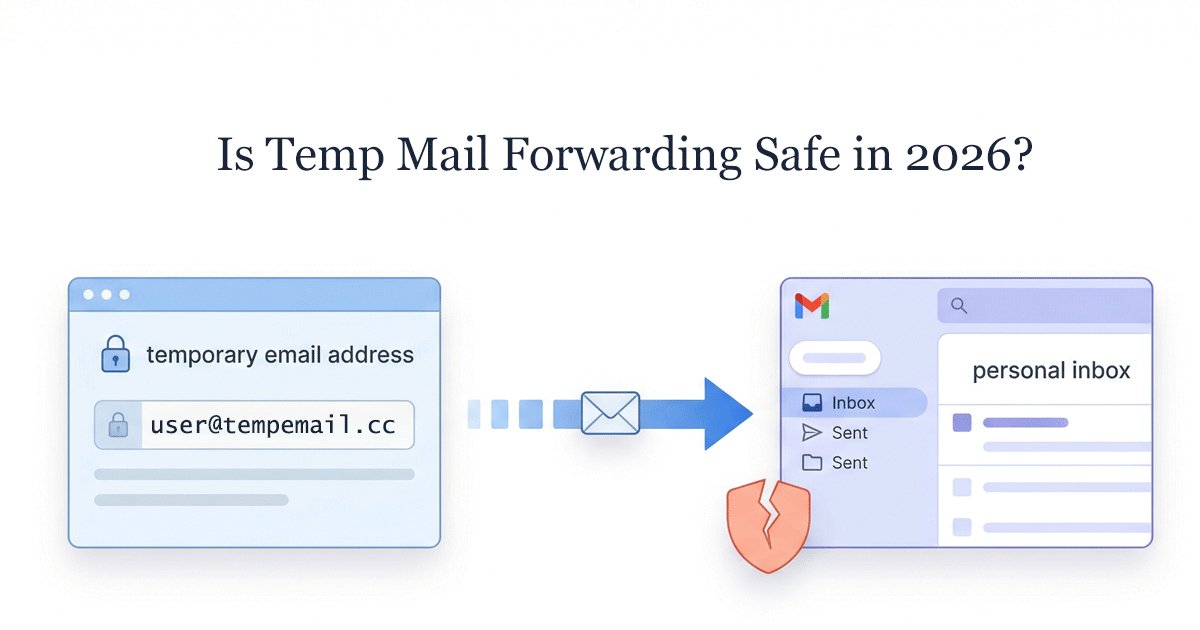
In an era where digital privacy is no longer optional, temp mail forwarding has become a practical workaround for users who want to keep their primary inbox clean without constantly checking multiple temporary email sites.
For example, many users forward temporary emails to Gmail or Outlook when signing up for tools like ChatGPT or Discord, so they can receive verification codes instantly in one place.
However, in 2026, this convenience comes with trade-offs. While managing everything in one inbox feels efficient, it can introduce hidden privacy and delivery risks—especially when forwarding is used beyond simple, one-time actions.
Quick Answer: Is Temp Mail Forwarding Safe?
The short answer is: It depends on how you use it.
Temp mail forwarding can be acceptable for low-risk, one-time actions (like downloading a PDF or accessing a coupon). However, it is not a reliable solution for privacy or long-term account access.
Here’s why:
- Traceable Links: Forwarding requires the service to store a mapping between your temporary address and your real email. Depending on the provider, this link may persist in logs or databases.
- Security Bypassing: Forwarded emails may bypass some of the filtering layers your email provider (like Gmail or Outlook) normally applies, because the message is re-routed through an intermediary server.
- Authentication Errors: Modern protocols (SPF, DKIM, DMARC) can break during forwarding, which may cause verification emails to be delayed, flagged, or blocked entirely.
The 2026 Verdict: If your goal is total privacy, isolation is superior to forwarding. A persistent, standalone temporary inbox provides a "clean break" that forwarding simply cannot offer.
In most cases, the risks are not immediate—but they become more significant when forwarding is used for ongoing accounts or sensitive platforms.
Why People Use Temp Mail Forwarding (and Why It Seems Smart)
It is easy to see the appeal. In a world of "subscription fatigue," we are all looking for ways to simplify our digital lives.
The Convenience Trap: Managing Everything in One Inbox
The primary driver for forwarding is Efficiency. Most users live in their Gmail or Outlook app. The thought of having to visit a separate website and manually refresh a page to see if a verification code has arrived feels like a step backward.
Forwarding promises the best of both worlds: the "shield" of a temporary address with the "comfort" of your familiar notification system.
The Hidden Assumption: “Forwarding = Safe Enough”
Many users operate under the assumption that as long as the website they are signing up for doesn't see their real email, they are protected.
Forwarding feels efficient, but this logic overlooks a critical point: you aren't just hiding your email from the sender; you are also entrusting the forwarding service provider with the exact link to your digital identity. You’ve traded one risk (spam) for a much larger one (identity mapping).
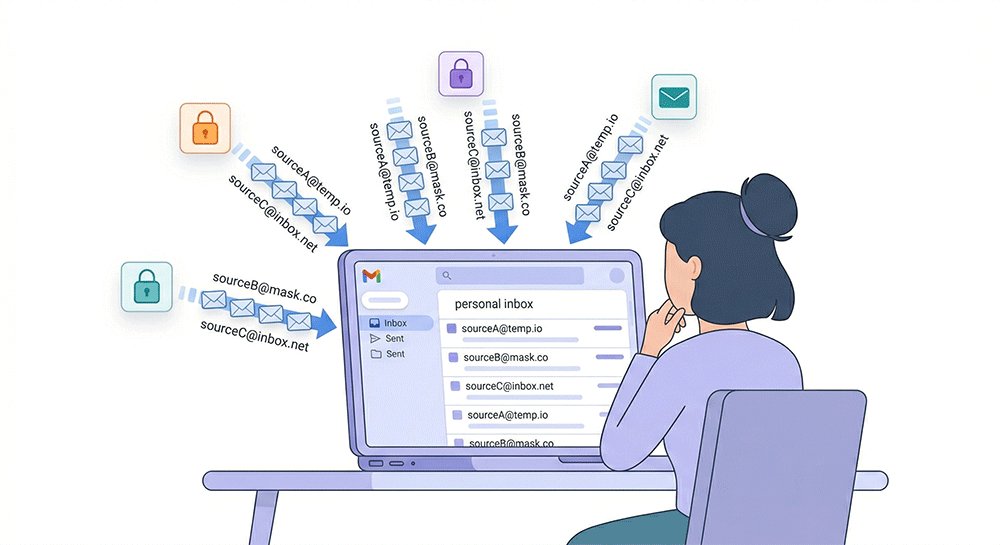
The 3 Hidden Risks of Temp Mail Forwarding Most Users Ignore
While the "inbox fusion" of forwarding sounds perfect, it introduces three structural vulnerabilities that can compromise your digital security in 2026.
1. Privacy Breakdown: Forwarding Creates a Traceable Link
The fundamental promise of a temporary email is anonymity. However, forwarding inherently breaks this.
To route your mail, the service provider must maintain a database entry that maps [email protected] directly to [email protected].
This creates a stored mapping between your temporary address and your real inbox, which may persist depending on the provider’s data retention policies. Not all services retain this data indefinitely, but many do not clearly disclose how long these mappings are stored.
- The Risk: If the temp mail provider suffers a data breach or is subpoenaed, your "anonymous" activities are instantly linked to your primary email.
- Scenario: You sign up for a sensitive health forum or a controversial political newsletter using forwarding. A year later, the forum is hacked, and its user database—including the mapping between your anonymous alias and your real Gmail—is leaked and sold to data brokers.
Privacy advocates often warn against unnecessary identity linking. Organizations like the Electronic Frontier Foundation emphasize that metadata—such as the mapping between two email addresses—can be just as revealing as the content of the emails themselves, providing a persistent trail for data brokers.
2. Spam Contamination: You’re Letting Risk Into Your Main Inbox
The whole point of using temp mail is to keep "trash" out of your primary space. Forwarding can reduce the separation between your temporary address and your primary inbox, potentially allowing unwanted emails to reach your main account.
Once you set up a forwarding rule, you lose the "air gap" protection. If the temporary address is sold to data brokers or targeted by a "Mail Bomb" (thousands of spam emails sent simultaneously), your primary inbox will be flooded. Most users find it much harder to filter forwarded spam because it often appears as "legitimate" traffic from the forwarding server.
While Gmail and Outlook have strong spam filters, forwarded emails may bypass some filtering signals due to modified headers and routing paths.
3. Delivery Issues: Why Verification Emails Often Fail
Have you ever waited for a Discord or ChatGPT verification code that never arrived via a forwarding service? That’s not a glitch; it’s a security protocol at work.This delivery friction is a documented side effect of modern email security. According to Google’s Sender Guidelines, failing to align SPF or DKIM records during the forwarding process can lead to messages being rejected or marked as spam to protect users from spoofing attacks.
Modern email providers use SPF (Sender Policy Framework) and DKIM to verify a sender's identity.
When an email is forwarded, the original sender’s authentication (SPF/DKIM) may no longer align with the forwarding server’s IP address. This mismatch can trigger DMARC policies, causing the message to be flagged or rejected.
As a result, Gmail’s filters may see the email coming from a "middleman" server rather than the original source, and either send it to spam or block it entirely.
If You Still Use Temp Mail Forwarding, Follow This Safety Checklist
We understand that in some edge cases, you might still prefer forwarding. If you choose this route, do not do it blindly. Use this professional checklist to minimize your exposure:
✔️ Avoid Linking Your Personal Email
If you must use a forwarding feature, link it to a secondary "junk" email account, never your primary personal or work address. This maintains at least one layer of separation.
✔️ Disable Forwarding Immediately After Use
Treat the forwarding rule as a "one-time bridge." Once you have verified your account or received the necessary file, log back into the service and manually delete the forwarding link.
✔️ Choose Providers with Minimal Logging Policies
Read the fine print. Does the provider store your real email address in their logs even after you delete the account? In 2026, look for "Zero-Log" verified services.
✔️ Watch for Phishing Disguised as “Forwarding Tools”
Be wary of unknown browser extensions or apps that offer "One-Click Forwarding." These are often sophisticated phishing tools designed to harvest your primary email address and contact list.
Temp Mail Forwarding vs. Persistent Temp Mail: Trade-offs Compared: Privacy vs Convenience
In the past, users had to choose between "short-lived" temporary mail (which expired in 5 minutes temp mail) or "forwarding." But in 2026, a third category has emerged as an alternative: Persistent Temp Mail.
To help you decide, here is a side-by-side breakdown of how these two methods compare in real-world scenarios.
Key Differences at a Glance
| Feature | Forwarding Temp Mail | Persistent Temp Mail |
|---|---|---|
| Identity Privacy | ❌ Linked to your real inbox | ✅ No direct link to personal inbox |
| Setup Process | ⚠️ Complex (Linking/Verifying) | ✅ Instant (One-click access) |
| Spam Control | ❌ High Risk (Leaks into main mail) | ✅ Zero Risk (Contained in separate inbox) |
| Reliability | ❌ Unstable (Forwarding delays) | ✅ Stable (Native delivery) |
| Security | ⚠️ Single point of failure | ✅ True Anonymity |
| Access Risk | ✅ Recoverable via main email | ❌ Lost if inbox URL/ID is lost |
Why Persistent Temp Mail Wins for Privacy
Industry shifts suggest that 'Isolation' is becoming the gold standard for high-stakes privacy. Tech analysts at Wired and Consumer Reports have consistently recommended using separate, non-linked accounts for sensitive registrations to prevent the 'snowball effect' of data breaches.
The safest temporary email is the one that never knows who you really are. Persistent temp mail allows you to own a dedicated inbox that stays active as long as you need it, without requiring a "bridge" to your personal life.
By using a standalone persistent inbox, you create a clear separation between your digital persona and your private data. If that temporary address ever gets compromised, you simply walk away—no spam ever reaches your Gmail or Outlook.
How It Works: A Simpler, Safer Alternative
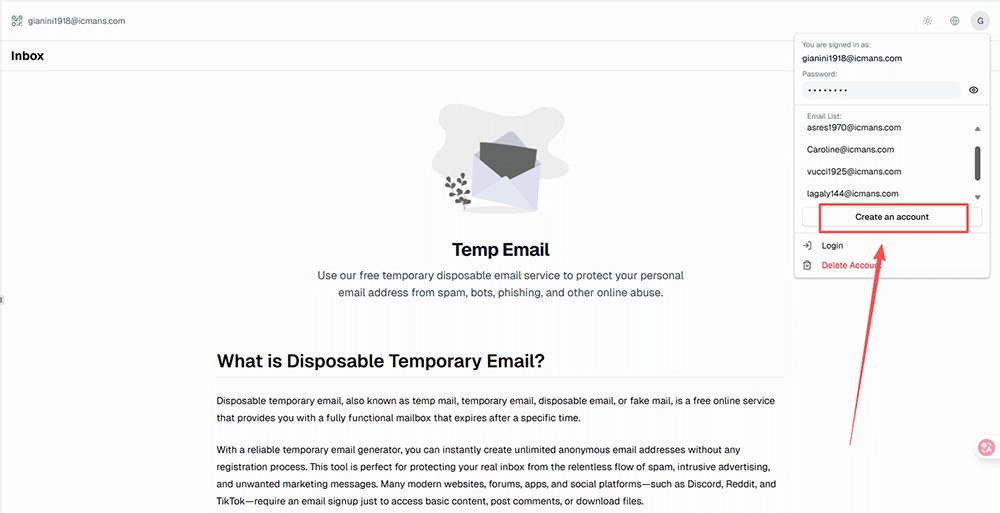
You might be wondering: "If I don't use forwarding, how do I keep track of my emails without checking 20 different sites?" An alternative approach is offered by some modern temp mail services that provide persistent inboxes without requiring forwarding. This approach works best for users who can securely store and manage their inbox access link or ID.
1. Bookmarking Over Linking
Instead of linking your real email, you simply Bookmark the URL of your persistent inbox or save your unique Inbox ID.
- The Benefit: You can return to that exact same box anytime—tomorrow, next week, or next month—without ever having provided a single piece of personal information.
2. Native Verification Receipt
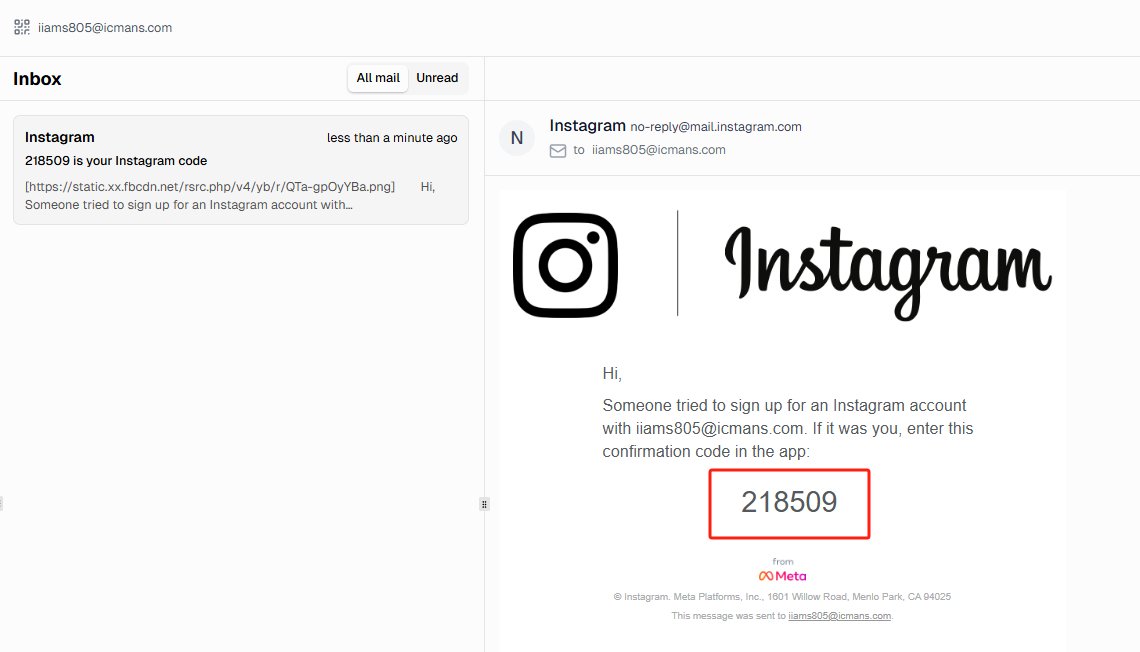
Because the emails land directly in the temporary service's server (no secondary hop), there are no "Forwarding Authentication" errors.
- The Benefit: Verification codes from sensitive platforms like OpenAI, Netflix, or Finance apps arrive in seconds, not minutes.
- Beyond "Temporary": Unlike traditional 10-minute mail that vanishes instantly, a persistent inbox allows you to receive monthly newsletters, subscription updates, or even account recovery emails months later. As long as you keep your access ID, the inbox remains yours to use for ongoing communication.
Pro Tip: To enjoy 100% privacy without the risk of losing access, many users manage these IDs using a password manager (like Bitwarden or 1Password). This ensures you can retrieve your anonymous inbox as easily as any other account.
If you prefer a more low-tech approach, simply pinning the tab in your browser or adding the URL to your "Daily Tools" folder is often enough to keep your anonymous identity safe and accessible. This ensures you can retrieve your inbox as easily as any other saved bookmark.
3. No Maintenance Required
With forwarding, you have to worry about unlinking your accounts to stop the spam. With a persistent standalone inbox, the spam is trapped. You don't need to manage filters or "unsubscribe"—you just close the tab.
For users concerned about long-term privacy, reducing unnecessary identity links can significantly lower risk. You can get a dedicated, long-term temporary mailbox that works exactly like a real one—minus the tracking.
When You Should Avoid Temp Mail Forwarding Completely
That said, forwarding may still be acceptable in limited scenarios, such as one-time downloads or non-sensitive registrations where long-term access is not required. While forwarding might seem okay for a one-off newsletter signup, there are critical scenarios where using it is a major strategic mistake.
Signing Up for SaaS, AI Tools, or Subscriptions
Platforms like ChatGPT, Midjourney, or Notion often send ongoing updates, security alerts, and login confirmations.
- The Forwarding Fail: If your forwarding service experiences a hiccup or you decide to unlink it to stop spam, you could lose access to your paid accounts forever.
- The Better Way: A persistent temporary inbox ensures you can always log back in to retrieve a "Forgot Password" link months later, without ever cluttering your main Gmail.
Managing Multiple Accounts or Automation
If you are an operations professional or a developer managing dozens of social media or tool accounts, forwarding them all to one primary email is a recipe for disaster.
- The Risk: Most primary providers (like Google) will flag your account for "suspicious activity" if they see a sudden influx of diverse verification emails through a single forwarding bridge. This can lead to your primary account being shadowbanned or locked.
Long-Term Access Scenarios
If you need an email for more than 24 hours, forwarding is the wrong tool. The longer a forwarding link remains active, the higher the risk of identity mapping by data brokers. For any account you plan to keep, isolation is the only true security.
FAQ: Temp Mail Forwarding & Privacy (2026 Guide)
Is temp mail forwarding truly anonymous?
No. It creates a technical link between the temporary address and your real inbox. The service provider and potentially ISPs can see this connection. For true anonymity, use a standalone persistent inbox.
Can forwarded emails be blocked by Gmail?
Yes. Gmail and Outlook have strict DMARC and SPF verification. Forwarding often "breaks" the original email's digital signature, causing it to be filtered into spam or blocked entirely before it reaches you.
Does temp mail forwarding increase spam?
Indirectly, yes. It allows spam to bypass the "air gap" of a temporary site and land directly in your primary inbox. If the temporary address is leaked, you will have to manually delete the forwarding rule to stop the flood.
What is the safest way to use a temporary email?
The safest method is to use a persistent temporary mailbox that does not require an external link. You access the inbox directly via a unique ID or URL, keeping your primary identity completely invisible.
Are there temp email services without forwarding?
Yes. Leading-edge services like TempEmail.cc provide long-term, persistent inboxes. You get the benefit of a "permanent" address for as long as you need it, with the security of a temporary service.
Conclusion: Stop Forwarding—Start Isolating Your Email Identity
In the digital landscape of 2026, convenience and privacy are often at odds. Temp mail forwarding is a relic of an era when we thought "hiding" was enough. But as data tracking becomes more sophisticated, the bridge between your temporary alias and your primary inbox has become a liability.
For users who prioritize privacy and long-term access, isolation-based approaches generally provide stronger guarantees than forwarding.
- Forwarding is a compromise that invites spam and risks your identity.
- Persistent Temp Mail is the evolution—offering the same long-term access without the dangerous digital link.
True email privacy doesn't come from forwarding your problems to another inbox; it comes from separation. By using an isolated, persistent mailbox, you regain control over who can reach you and how much of your identity you reveal.
How to Choose a Safer Alternative to Email Forwarding?
Stop risking your primary email's reputation and your personal privacy. It’s time to switch to a smarter, more secure alternative.
If you’re considering alternatives to forwarding, look for services that:
- Do not require linking to your personal email
- Offer persistent access without expiration
- Clearly explain their data retention and privacy policies
Some modern tools, such as TempEmail.cc, follow this model by providing persistent inboxes without identity linking.