Использование временной почты для социальных сетей позволяет пользователям защитить свою конфиденциальность, избежать спама и создавать аккаунты, не раскрывая личные почтовые ящики. Однако каждая платформа относится к одноразовым адресам по-разному: некоторые разрешают их использование, в то время как другие активно блокируют.
Чтобы быстро начать, выберите свою платформу:
[ TikTok ] [ Facebook ] [ Instagram ][ Discord ] [ Spotify ] [ Netflix ] [ WhatsApp ]
Или ознакомьтесь с подробным разбором по каждой платформе ниже.
Регистрация нового аккаунта в социальной сети должна занимать секунды. Однако использование реального адреса электронной почты часто создает долгосрочную связь, которая вам не нужна — связь, ведущую к навязчивым маркетинговым рассылкам, кроссплатформенному отслеживанию и цифровому следу, который трудно стереть.
Временная почта для социальных сетей предлагает простое альтернативное решение. Вместо того чтобы привязывать каждую регистрацию к вашему личному ящику, она позволяет создавать аккаунты, получать коды подтверждения и двигаться дальше — не раскрывая свой основной адрес электронной почты.
Независимо от того, изучаете ли вы тренды TikTok, присоединяетесь к Discord-серверу, тестируете новую нишу в Instagram или скачиваете материалы с Canva, большинство платформ требуют подтверждения по электронной почте. Этот единственный шаг превращает ваш почтовый ящик в идентификатор, связывающий вашу активность в разных сервисах, рекламных сетях и профилях данных с течением времени.
Вот почему все больше пользователей обращаются к одноразовой электронной почте как к практичному уровню защиты конфиденциальности. Это помогает быстро завершать регистрацию, сокращая долгосрочное воздействие и давая вам больше контроля над тем, как используется ваша цифровая личность.
✅ Используйте временную почту, чтобы:
- Регистрироваться мгновенно, не используя свой реальный почтовый ящик
- Избежать долгосрочного спама и рекламных рассылок
- Сократить кроссплатформенное отслеживание данных
- Тестировать социальные платформы безопасно и анонимно
- Сохранять контроль над своей цифровой личностью
Вместо того чтобы привязывать свою личную почту к каждому новому приложению, временный адрес позволяет завершить процесс регистрации, получить код подтверждения и забыть об этом — не оставляя постоянного следа.
Подумайте об этом так:
Реальная почта = Цифровой след
Временная почта = Чистый выход
В этом руководстве вы узнаете, как работает временная почта для регистрации в социальных сетях, когда ее стоит использовать, для каких платформ она наиболее полезна и как защитить свою конфиденциальность, продолжая пользоваться всеми преимуществами современных социальных сетей.
Почему люди используют временную почту для социальных сетей
Многие пользователи сегодня обеспокоены не только спамом, но и тем, как один адрес электронной почты может связать их активность на разных платформах, позволяя осуществлять кросс-сайтовое отслеживание и детальное профилирование. Согласно последним доступным данным Pew Research Center, 81% взрослых американцев остаются очень или в некоторой степени обеспокоенными тем, как компании используют собираемые ими персональные данные, при этом большинство считает, что они имеют мало контроля над этим или не имеют его вовсе. Более свежие опросы подтверждают эту тенденцию: опрос YouGov 2026 года показал, что 61% американцев считают ограничение доступа к своим персональным данным очень важным, а более широкие глобальные отчеты показывают, что более 80–90% интернет-пользователей выражают постоянную обеспокоенность по поводу конфиденциальности в сети и отслеживания данных.
Что касается спама, объем мирового почтового трафика продолжает расти — в 2026 году прогнозируется около 392,5 миллиардов писем в день, при этом спам по-прежнему составляет значительную долю. Последние отчеты показывают, что 45–48% всех писем классифицируются как спам, где маркетинговые рассылки и нежелательные рекламные предложения составляют большую часть нежелательных сообщений. Эта постоянная перегрузка в сочетании с растущими опасениями по поводу конфиденциальности объясняет, почему все больше людей обращаются к временной почте для социальных сетей как к практичному способу анонимной регистрации, получения кодов подтверждения и избежания долгосрочного спама или привязки данных.
Один адрес может связать всю вашу онлайн-личность
Основной адрес электронной почты часто становится постоянным идентификатором:
- Платформы могут обмениваться сигналами отслеживания
- Рекламодатели и брокеры данных могут сопоставлять поведение в разных сервисах
- Единые идентификаторы позволяют создавать детальные поведенческие профили
Короче говоря, проблема не только в спаме — проблема в том, что один адрес электронной почты может раскрыть вашу активность на множестве платформ.
Регистрация в социальных сетях часто приводит к долгосрочному раскрытию данных
Регистрация на социальной платформе редко бывает разовым взаимодействием.
Как только адрес электронной почты попадает в экосистему платформы, он может использоваться для:
- Постоянных уведомлений и рассылок по жизненному циклу пользователя
- Сигналов для персонализации рекламы
- Оповещений безопасности, интеграций и синхронизации между сервисами
- Хранения данных долгое время после того, как аккаунт становится неактивным
Тем временем электронная почта остается основным вектором для вредоносной активности: фишинговые и спам-кампании продолжают активно полагаться на каналы электронной почты, что усиливает осторожность пользователей в отношении того, где они указывают свой адрес.
Другими словами:
Регистрация — это временно.
Отношения с данными — нет.
Это несоответствие между краткосрочным намерением (создать аккаунт, протестировать сервис, получить доступ к контенту) и долгосрочным раскрытием данных — именно то, где временная почта для социальных сетей становится практическим решением, а не просто удобным инструментом.
Как работает временная почта для регистрации в социальных сетях
Если вы никогда раньше не пользовались временной электронной почтой, этот процесс разработан так, чтобы быть простым, быстрым и специально предназначенным для регистраций, требующих подтверждения. В отличие от традиционного почтового ящика, временная почта создается мгновенно и не требует личной информации, что делает ее идеальной для краткосрочного доступа к социальным сетям.
С точки зрения SEO, пользователи, ищущие «как использовать временную почту для социальных сетей», обычно ищут четкий, практический рабочий процесс. Приведенные ниже шаги отражают наиболее распространенный сценарий использования: завершение подтверждения аккаунта без раскрытия личного адреса электронной почты.
Пошаговое руководство: Использование временной почты для регистрации в социальных сетях
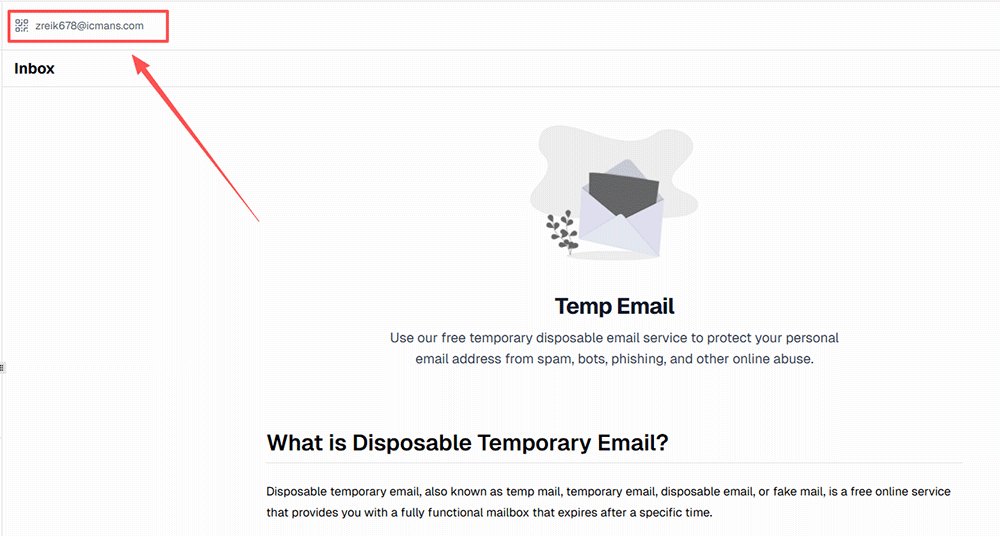
1️⃣ Мгновенная генерация одноразового адреса
Откройте сервис временной почты, и адрес электронной почты будет создан автоматически — без регистрации, пароля и личных данных.
Этот адрес работает как обычный почтовый ящик, но является сессионным и временным.
2️⃣ Ввод адреса при регистрации в социальной сети
При регистрации на таких платформах, как TikTok, Instagram, Discord или Facebook, вставьте сгенерированный адрес в соответствующее поле вместо своего реального.
3️⃣ Получение кода подтверждения (OTP или письмо с подтверждением)
Платформа отправляет сообщение с подтверждением так же, как и на стандартный почтовый ящик.
Сообщение появляется в режиме реального времени во временном почтовом ящике, что позволяет вам немедленно получить код.
4️⃣ Активация аккаунта
Введите код подтверждения или перейдите по ссылке для подтверждения, чтобы завершить процесс регистрации.
На этом этапе аккаунт в социальной сети полностью активирован и готов к использованию.
5️⃣ Автоматическое удаление ящика
По истечении определенного времени временный почтовый ящик удаляется вместе со всеми сохраненными сообщениями.
Это автоматическое удаление помогает гарантировать, что адрес не будет повторно использован в качестве долгосрочного идентификатора.
Почему этот рабочий процесс важен для пользователей, заботящихся о конфиденциальности
Традиционная регистрация по электронной почте создает постоянную связь между вашей личностью и платформой. Временная почта меняет эту динамику, вводя одноразовый уровень подтверждения — вы можете выполнить требования для доступа, не создавая постоянный канал связи.
Этот подход особенно полезен, когда:
- Вы тестируете платформу, прежде чем принять решение о ее использовании
- Создаете вторичные или экспериментальные аккаунты
- Получаете доступ к закрытому контенту или сообществам
- Избегаете маркетинговых рассылок после регистрации
Когда следует использовать временную почту для социальных сетей?
Не каждая регистрация в социальной сети должна быть привязана к вашему основному адресу электронной почты. Во многих ситуациях пользователи изучают, тестируют или получают доступ к контенту временно, а не создают долгосрочное присутствие.
Именно здесь использование временной почты для социальных сетей становится практичным выбором — позволяя выполнить требования по подтверждению, не расширяя ваш личный цифровой след.
С точки зрения намерений, люди, ищущие решения для временной электронной почты, часто пытаются найти баланс между доступностью и конфиденциальностью: они хотят использовать платформу, но не хотят обязательств, последующих писем или долгосрочной привязки личности, которые сопровождают традиционную регистрацию.
Распространенные сценарии, в которых временная почта полезна
| Сценарий | Почему временная почта помогает |
|---|---|
| Попытка использования новой платформы | Изучайте функции, не привязывая свою личную почту |
| Управление несколькими аккаунтами | Предотвратите перегрузку основного ящика и разделите рабочие процессы |
| Краткосрочные кампании | Избегайте рассылок после окончания кампании |
| Скачивание закрытого контента | Получите разовый доступ без последующих сообщений |
| Тестирование маркетинговых стратегий | Сохраняйте операционное разделение между проектами |
Практический слой между любопытством и обязательствами
Многие пользователи взаимодействуют с социальными платформами поэтапно — сначала экспериментируют, а затем решают, стоит ли интегрировать сервис в свой повседневный рабочий процесс. Использование временной электронной почты на этом раннем этапе позволяет оценить сервис, не создавая сразу постоянный канал связи.
Этот подход особенно полезен для:
- Авторов контента, изучающих новые платформы перед запуском своих материалов
- Маркетологов, проводящих краткосрочные тесты или эксперименты с аудиторией
- Разработчиков или комьюнити-менеджеров, присоединяющихся к пространствам для оценки
- Обычных пользователей, которые просто хотят попробовать сервис без последствий для своего почтового ящика
Рассматривая подтверждение по электронной почте как функциональный шаг, а не как долгосрочный идентификатор, временная почта привносит гибкость в то, как люди взаимодействуют с социальными сетями.экосистемы.
Выбор правильной стратегии использования электронной почты для социальных сетей
Не каждая регистрация в социальной сети требует одинакового уровня долгосрочных обязательств. В зависимости от ваших целей в области конфиденциальности и того, как долго вы планируете использовать учетную запись, у вас обычно есть три стратегических варианта: реальная электронная почта, временная почта (Temp Mail) или пересылка почты (алиасы).
Сравнение: Реальная почта vs. Временная почта vs. Пересылка
Обновлено на 2026 год: системы обнаружения платформ стали строже, что делает временную почту более рискованной для долгосрочного использования, в то время как сервисы алиасов значительно улучшились для обеспечения устойчивой конфиденциальности.
| Функция | Реальная почта (Gmail/Outlook) | Временная почта (одноразовая) | Пересылка почты (алиас) |
|---|---|---|---|
| Основное использование | Главные личные аккаунты | Тестирование, анонимные регистрации | Закрытый контент, рассылки |
| Уровень конфиденциальности | ❌ Низкий (привязана к личности) | ✅ Высокий (нулевой след) | 🟢 Высокий (скрывает источник + шифрование с такими провайдерами, как SimpleLogin/addy.io) |
| Возможность восстановления | ✅ Отличная (всегда доступна) | ❌ Нет (истекает мгновенно) | ✅ Хорошая (через основной почтовый ящик) |
| Контроль спама | ❌ Сложно управлять | ✅ Автоматический (самоуничтожение) | ✅ Отличный (отключение алиаса, легкая блокировка спама) |
| Риск для аккаунта | ✅ Минимальный (доверенные домены) | ⚠️ Средний/Высокий (некоторые блокировки) | 🟡 Низкий (обычно принимается) |
Что выбрать?
Выбор правильного инструмента — это баланс между удобством, конфиденциальностью и долгосрочным контролем. Вот экспертный разбор на 2026 год, когда социальные платформы все чаще блокируют одноразовые домены, а сервисы алиасов значительно развились:
- Используйте реальную почту (Gmail/Outlook и т.д.) для: ваших основных или «базовых» аккаунтов — особенно тех, которые связаны с финансовой информацией, критически важными бизнес-данными, близкими личными контактами или основным присутствием в социальных сетях. Вам нужна 100% гарантия восстановления, надежные уведомления и доверие к домену, которые обеспечивают постоянные провайдеры.
- Используйте временную почту (одноразовую) для: чисто исследовательских или краткосрочных нужд — например, тестирования новых социальных платформ, получения одноразовых загрузок, создания «одноразовых» аккаунтов в TikTok или Discord или быстрой верификации. Это обеспечивает самый чистый выход: получили код, завершили регистрацию и исчезли без какого-либо постоянного цифрового следа. (Примечание: в 2026 году показатели успеха варьируются из-за более строгих систем обнаружения — идеально для пробных версий без обязательств).
- Используйте алиасы для пересылки (например, SimpleLogin/Proton, addy.io, Firefox Relay) для: сервисов, которыми вы планируете пользоваться время от времени, регулярно или даже в долгосрочной перспективе, но без раскрытия своего реального адреса. Это позволяет оставаться на связи (получать письма, отвечать при необходимости), маскировать свою личность за прокси-адресом и легко отключать/менять алиасы, если начинается спам или возникают опасения по поводу конфиденциальности. Отлично подходит для второстепенных аккаунтов в соцсетях, рассылок, закрытого контента или любой платформы, где вам нужна устойчивость без полной привязки.
Относясь к своему адресу электронной почты как к стратегическому активу, а не как к универсальному идентификатору, вы можете значительно снизить уровень раскрытия данных в экосистеме социальных сетей, минимизировать спам и держать свой основной почтовый ящик в чистоте и под контролем — особенно по мере развития инструментов конфиденциальности в 2026 году.
Временная почта для различных социальных сетей
Не все платформы одинаково относятся к временной электронной почте. Некоторые позволяют быстро пройти верификацию с помощью одноразовых ящиков, в то время как другие активно их обнаруживают и блокируют.
Краткое сравнение платформ
| Платформа | Поддержка временной почты | Лучший сценарий использования | Примечания |
|---|---|---|---|
| TikTok | ✅ Работает | Тестирование, тренды, несколько аккаунтов | Принимается большинство временных доменов |
| ⚠️ Частично | Тестирование бренда или контента | Может потребоваться верификация по телефону | |
| Discord | ✅ Работает | Краткосрочный доступ, тестирование | Очень дружелюбна к временной почте |
| ❌ Ограниченно | Только второстепенные аккаунты | Часто блокирует одноразовые домены | |
| Spotify | ✅ Работает | Пробные версии, тестирование | Хорошо для краткосрочного использования |
| Netflix | ❌ Не рекомендуется | — | Строгая верификация, требуется оплата |
| ⚠️ Ограниченно | Временное тестирование, эксперименты с бизнесом | Номер телефона — это реальный слой идентификации |
Ниже представлен подробный разбор по каждой платформе, который поможет вам решить, как эффективно использовать временную почту.
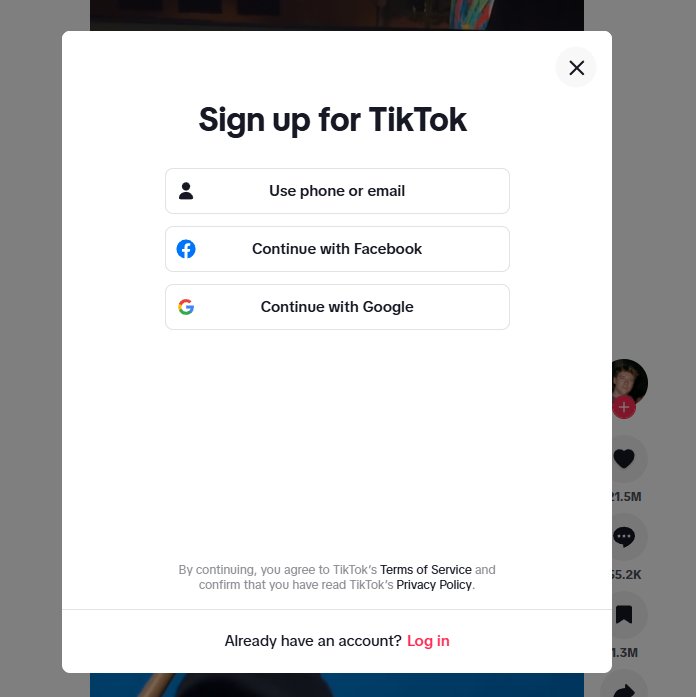
Временная почта для TikTok
TikTok часто исследуют экспериментально — пользователи могут захотеть изучить тренды, протестировать идеи нишевого контента или понять поведение алгоритмов, прежде чем создавать долгосрочный аккаунт.
Поддержка: ✅ Работает хорошо Лучше всего для: тестирования, исследования контента, нескольких аккаунтов
TikTok очень гибок в вопросах создания аккаунтов. Большинство сервисов временной почты могут получать коды верификации без проблем.
Используйте временную почту, если хотите:
- Протестировать стратегии нишевого контента
- Изучить тренды или конкурентов
- Создать краткосрочные или экспериментальные аккаунты
Ограничения:
- В некоторых регионах может потребоваться верификация по телефону
👉 Вердикт: Настоятельно рекомендуется для краткосрочного использования
Временная почта для Facebook
Аккаунты в Facebook имеют тенденцию генерировать постоянные уведомления, предлагаемые контакты и рекламные письма даже при минимальном использовании.
Поддержка: ❌ Ограниченно / Часто блокируется
Лучше всего для: временных или второстепенных аккаунтов (с осторожностью)
У Facebook более строгие системы защиты от злоупотреблений, и он часто блокирует известные домены одноразовой почты.
Используйте временную почту, если хотите:
- Создать второстепенный аккаунт для тестирования
- Разделить личные и рабочие процессы
Ограничения:
- Высокая вероятность сбоя верификации
- Может потребоваться верификация по телефону или личности
👉 Вердикт: Ненадежно — используйте с осторожностью
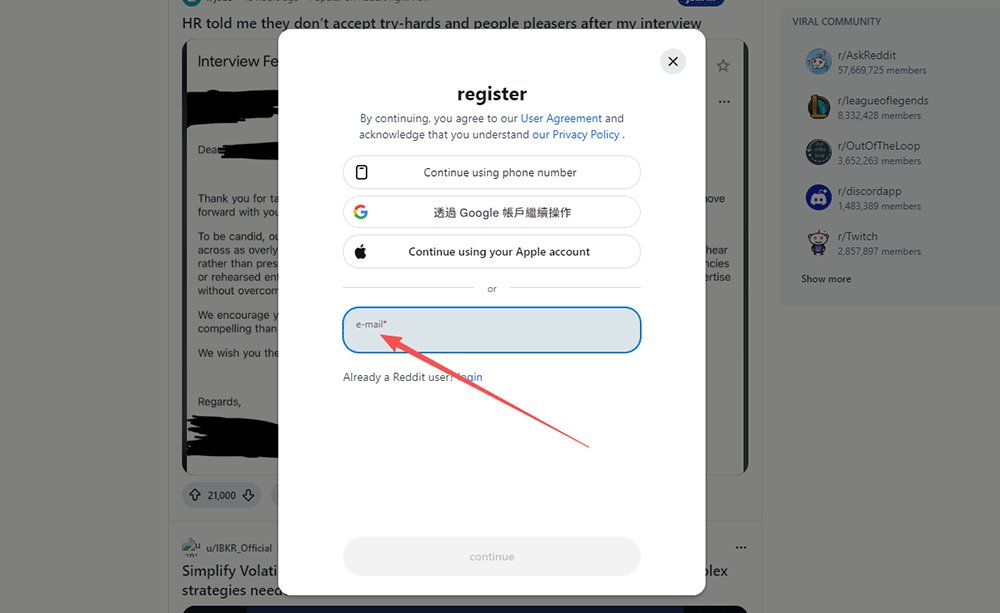
Временная почта для Discord
Discord часто требует подтверждения электронной почты для входа на серверы, что делает его распространенным сценарием использования временных ящиков — особенно для разработчиков и комьюнити-менеджеров.
Поддержка: ✅ Работает хорошо
Лучше всего для: краткосрочного доступа, сообществ, разработки
Discord — одна из самых дружелюбных к временной почте платформ.
Используйте временную почту, если хотите:
- Временно присоединиться к серверам
- Протестировать ботов или интеграции
- Анонимно изучать сообщества
Ограничения:
- Восстановление аккаунта затруднено, если срок действия почты истек
👉 Вердикт: Один из лучших сценариев использования временной почты
Временная почта для Instagram
Instagram широко используется для исследований, анализа брендов и работы с несколькими аккаунтами.
Поддержка: ⚠️ Частично
Лучше всего для: тестирования идей бренда или контента
Instagram в некоторых случаях допускает использование временной почты, но системы обнаружения совершенствуются.
Используйте временную почту, если хотите:
- Протестировать новые концепции бренда
- Вести экспериментальные контент-аккаунты
- Проводить анализ конкурентов
Ограничения:
- Может потребоваться верификация по телефону
- Некоторые временные домены заблокированы
👉 Вердикт: Работает, но не стабильно
Временная почта для Spotify
Spotify часто требует регистрации по электронной почте даже для пробных версий или ознакомительного использования.
Поддержка: ✅ Работает
Лучше всего для: пробных версий, тестирования, не основных аккаунтов
Spotify обычно принимает временную почту для создания аккаунта и пробных периодов.
Используйте временную почту, если хотите:
- Получить доступ к пробным функциям
- Протестировать плейлисты или UX
- Избежать рекламных рассылок
Ограничения:
- Для долгосрочных аккаунтов может потребоваться стабильная почта
👉 Вердикт: Хорошо для краткосрочного использования
Временная почта для Netflix
Поддержка: ❌ Не рекомендуется
Лучше всего для: —
Netflix использует строгие системы верификации и оплаты, что делает временную почту непрактичной.
Ограничения:
- Требуется действительный способ оплаты
- Сильная защита от злоупотреблений
- Восстановление аккаунта зависит от постоянной почты
👉 Вердикт: Избегайте использования временной почты
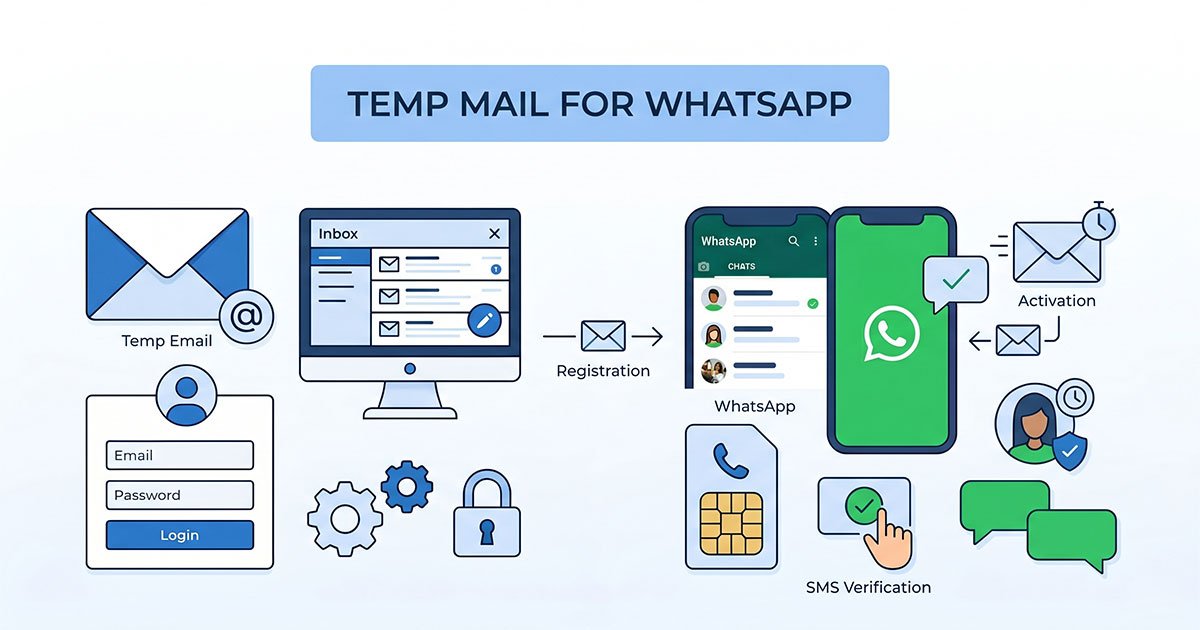
Временная почта для WhatsApp
В отличие от Discord или Reddit, WhatsApp не полагается на электронную почту как на часть своей основной системы идентификации.
Верификация аккаунта в первую очередь привязана к номерам телефонов и аутентификации через SIM-карту, что означает, что временная почта оказывает очень ограниченное влияние на конфиденциальность или контроль над аккаунтом.
Поддержка: ⚠️ Ограниченная полезность
Лучше всего для: краткосрочного тестирования, временных экспериментов с бизнес-настройками
WhatsApp — это не почтовая платформа, поэтому временная почта играет лишь второстепенную роль.
Используйте временную почту, если хотите:
- Протестировать рабочие процессы WhatsApp Business
- Временно поэкспериментировать с интеграциями Meta
- Избежать использования основного почтового ящика для краткосрочной настройки
Ограничения:
- Идентификация в WhatsApp привязана к номерам телефонов, а не к почте
- Временная почта не повышает анонимность внутри WhatsApp
- Уведомления о восстановлении и связанные с Meta уведомления могут стать недоступными после истечения срока действия ящика
- Не подходит для долгосрочного использования WhatsApp Business
👉 Вердикт: Полезно только для временного тестирования — не для конфиденциальности или долгосрочного управления аккаунтом.
Выбор лучшего инструмента временной почты для социальных сетей
Не все сервисы одноразовой почты созданы для одних и тех же целей. Некоторые предназначены для обычного просмотра, другие оптимизированы специально для рабочих процессов с интенсивной верификацией, таких как регистрация в социальных сетях.
Если ваша цель — быстро зарегистрировать аккаунты, минимизировав долгосрочное раскрытие данных, выбор лучшей временной почты для социальных сетей означает выход за рамки простого создания ящика и фокусировку на надежности, скорости и политике конфиденциальности.
Вместо того чтобы полагаться на общие списки «Топ-10», полезнее оценивать инструменты временной почты по тому, насколько хорошо они поддерживают реальные сценарии регистрации — особенно при получении одноразовых паролей (OTP) или ссылок для подтверждения от таких платформ, как TikTok, Discord или Instagram.
Ключевые функции, на которые стоит обратить внимание в сервисе временной почты
✔ Мгновенный почтовый ящик****Генерация почты (без лишних действий)
Надежный сервис временной почты должен автоматически создавать адрес сразу после открытия страницы.
В нем не должно быть:
- Форм регистрации
- Настройки пароля
- Запроса личной информации
Это гарантирует, что сервис будет работать как инструмент быстрого доступа, а не как еще один аккаунт, которым нужно управлять.
✔ Регистрация не требуется
Использование временной почты для защиты конфиденциальности теряет смысл, если сам провайдер требует регистрации. Лучшие сервисы работают полностью на основе сессий, позволяя создавать и использовать почтовый ящик без создания дополнительного профиля.
✔ Быстрая доставка OTP и кодов подтверждения
Социальные сети часто присылают коды подтверждения, ограниченные по времени.
Надежный сервис временной почты должен:
- Мгновенно получать письма
- Автоматически обновляться без ручной перезагрузки страницы
- Поддерживать популярные домены отправителей, используемые крупными платформами
Задержка доставки может привести к сбою верификации, поэтому скорость является критическим фактором удобства использования.
✔ Автоматическое удаление
Временная почта должна соответствовать своему назначению — быть временной.
Выбирайте сервисы, которые автоматически удаляют:
- Содержимое входящих сообщений по истечении заданного времени
- Неиспользуемые адреса
- Данные сессии, привязанные к почтовому ящику
Это снижает вероятность повторного использования идентификаторов в долгосрочной перспективе.
✔ Политика конфиденциальности и отсутствие логов
Поскольку временная почта часто используется для задач, требующих приватности, важна прозрачность.
Выбирайте инструменты, которые четко заявляют, что не хранят:
- Персональные данные
- Историю использования, привязанную к IP-адресу (за исключением операционных нужд)
- Долгосрочные архивы сообщений
Политика, ориентированная на конфиденциальность, делает инструмент соответствующим главной цели, ради которой пользователи ищут временную почту.
Почему выбор правильного инструмента имеет значение
Использование временной почты для социальных сетей — это не просто генерация случайного адреса, это создание контролируемой границы между кратковременным доступом и постоянной цифровой личностью.
Хорошо продуманный сервис помогает вам плавно пройти верификацию, минимизируя лишние действия, риски раскрытия данных и необходимость управления входящими письмами.
При выборе вариантов отдавайте предпочтение скорости, простоте и минимизации данных, а не перегруженным функциями платформам, которые копируют традиционные почтовые системы.
Рекомендации по использованию временной почты в социальных сетях
Чтобы получить максимальную пользу от временной почты в социальных сетях, важно использовать ее осознанно, а не как полную замену вашей основной почте. Временная почта лучше всего работает как инструмент контролируемого доступа — она помогает изучать платформы, проходить верификацию или управлять краткосрочными задачами без создания ненужных долгосрочных связей.
Соблюдение нескольких практических правил поможет обеспечить как удобство, так и конфиденциальность.
✔ Используйте временную почту для тестирования или краткосрочного взаимодействия
- Временная почта идеально подходит для ситуаций, когда вы:
- Пробуете новую платформу, прежде чем решить, стоит ли в ней регистрироваться
- Проводите краткосрочные кампании или эксперименты
- Получаете доступ к закрытым сообществам, файлам для скачивания или функциям
- Наблюдаете за трендами или изучаете конкурентов
Если цель — оценка, а не долгосрочное участие, временный ящик поможет отделить эту активность от вашей личной среды.
✔ Никогда не привязывайте важные или критически важные сервисы
Поскольку временные ящики имеют срок действия, их нельзя использовать для аккаунтов, требующих:
- Восстановления пароля или долгосрочного доступа
- Финансовых транзакций или подписок
- Личной переписки или хранения конфиденциальных данных
Для любого сервиса, от которого вы зависите, всегда используйте постоянную почту, чтобы сохранить контроль и возможность восстановления доступа.
✔ Разделяйте сессии браузера при управлении аккаунтами
При использовании нескольких аккаунтов — особенно для исследований или тестирования — старайтесь разделять сессии с помощью:
- Разных браузеров или профилей
- Режима «Инкогнито»
- Отдельных рабочих сред для входа
Это помогает предотвратить наложение сессий, снижает риск случайного входа в чужой аккаунт и помогает организовать рабочий процесс.
✔ Изучайте правила каждой платформы
Некоторые социальные сети отслеживают использование временной почты в рамках систем борьбы со спамом и злоупотреблениями. Прежде чем полагаться на временную почту, полезно:
- Ознакомиться с правилами регистрации или верификации на платформе
- Использовать временную почту ответственно, а не для автоматизации или злоупотреблений
- Относиться к ней как к инструменту доступа, а не как к способу обхода правил сервиса
Использование временной почты в рамках обычных исследовательских или тестовых сценариев соответствует ее назначению и позволяет избежать лишних проблем.
Следуя этим рекомендациям, пользователи могут сохранять гибкость, уважая при этом экосистемы платформ — соблюдая баланс между удобством, конфиденциальностью и ответственным использованием.
FAQ — Временная почта для социальных сетей
Ниже приведены ответы на частые вопросы, которые возникают у пользователей при выборе временной почты для верификации в социальных сетях.
Можно ли использовать бесплатную временную почту для верификации в соцсетях?
Да. Большинство лучших сервисов временной почты 2026 года созданы специально для быстрой и бесплатной верификации.
Они позволяют получать письма с подтверждением или OTP-коды без создания аккаунта или передачи личной информации, что делает их подходящими для краткосрочных регистраций или тестирования.
Однако бесплатную временную почту лучше использовать для некритичных аккаунтов, а не для сервисов, на которые вы планируете полагаться в долгосрочной перспективе.
Будут ли TikTok или Instagram блокировать временную почту?
Некоторые платформы активно отслеживают и ограничивают использование известных доменов временной почты в рамках своих систем защиты от спама. Это не означает, что все адреса временной почты блокируются автоматически, но доставка писем и успех верификации могут варьироваться. Факторы, такие как выбранный вами провайдер, правила верификации конкретной платформы, а также репутация или частота смены домена, играют свою роль. Если попытка регистрации не удалась, смена адреса или провайдера часто быстро решает проблему.
Законно ли использовать временную почту?
Да, использование временной почты законно в большинстве юрисдикций, так как она функционирует просто как инструмент доставки писем, а не как метод обмана. Проблемы возникают только тогда, когда она используется для нарушения условий обслуживания платформы, автоматизированных злоупотреблений или мошенничества. При использовании для защиты конфиденциальности, краткосрочного тестирования или ограниченного взаимодействия временная почта работает как любой стандартный метод связи и считается приемлемым способом ответственного управления онлайн-взаимодействиями.
Можно ли получать OTP-коды через временную почту?
Да. Получение одноразовых паролей (OTP) — один из основных сценариев использования временной почты. Надежный провайдер временной почты спроектирован так, чтобы мгновенно отображать входящие сообщения, поддерживать системы отправителей, используемые крупными платформами, и позволять пользователям копировать коды или открывать ссылки для подтверждения в реальном времени. Эта скорость и доступность делают временную почту особенно практичной для активации аккаунтов, краткосрочных регистраций и тестирования, где требуется быстрая верификация без раскрытия личного почтового ящика.
Защищает ли временная почта от отслеживания?
Временная почта помогает уменьшить отслеживание на основе идентификаторов, отделяя ваш основной почтовый ящик от множества онлайн-сервисов. Она ограничивает долгосрочное профилирование, маркетинговые рассылки, привязанные к вашему реальному адресу, и перекрестные связи между платформами. Хотя временная почта обеспечивает уровень конфиденциальности для краткосрочных регистраций и тестирования, это не полное решение. Пользователям следует использовать дополнительные средства защиты, такие как настройки приватности браузера, управление файлами cookie и меры сетевой безопасности, чтобы комплексно защитить свой цифровой след.
Что происходит после истечения срока действия почты?
Когда срок действия временного ящика истекает, все полученные сообщения автоматически удаляются, а адрес может быть переработан или навсегда удален провайдером. Как только это происходит, вы больше не сможете получить доступ к ссылкам подтверждения, уведомлениям безопасности или письмам для восстановления доступа, связанным с этим адресом. Поскольку доступ нельзя восстановить, временную почту следует использовать только для аккаунтов, которые не требуют долгосрочного использования, постоянной связи или восстановления пароля.
Умный способ присоединиться к социальным сетям без захламления почты
Если вы используете социальные платформы экспериментально, временно или для рабочих исследований, временная почта предлагает контролируемый способ прохождения верификации без привязки к вашему личному ящику — а понимание ограничений поможет использовать ее максимально эффективно.
Если вы хотите изучать новые платформы, не превращая свою личную почту в склад рекламных рассылок, писем подтверждения и долгосрочного трекинга, использование временной почты — более разумный подход. Она позволяет регистрироваться, тестировать функции или участвовать в сообществах, не связывая свою основную личность с каждым сервисом, который вы пробуете.
Вы остаетесь свободны в экспериментах, ваш почтовый ящик остается чистым, и вы сохраняете контроль над тем, какая часть вашего цифрового следа останется навсегда. Вместо того чтобы разбираться с нежелательными сообщениями позже, вы предотвращаете их появление с самого начала.
Если вы не знаете, с чего начать, платформы вроде TikTok или Discord обычно предлагают наиболее простой опыт, в то время как другие могут потребовать дополнительных шагов верификации.
Начните использовать временную почту для социальных сетей уже сегодня на tempemail.cc и сохраняйте свой почтовый ящик в чистоте.