받은편지함
블로그APIFAQ개인정보피드백문의
/
© TempEmail.cc
Temp Mail 블로그5 Minute Email: What It Is, How It Works, and the Best Free Services in 2026

5 Minute Email: What It Is, How It Works, and the Best Free Services in 2026

Harsel GiveshPost by Harsel Givesh |2026년 3월 9일
5 Minute Email: What It Is, How It Works, and the Best Free Services in 2026

In today’s digital world, signing up for websites often means giving away your email address—and receiving endless spam in return. This is why many people turn to a 5 minute email, a quick and disposable email address designed to receive messages for a very short time before automatically disappearing.

A 5 minute email works as a type of temporary email or disposable email address that allows users to register on websites, download resources, or verify accounts without exposing their personal inbox. Within seconds, you can generate a temporary inbox, receive verification emails, and avoid long-term clutter or privacy risks.

These short-lived email addresses are especially useful for situations like testing new services, accessing gated content, or protecting your primary email from marketing lists and unwanted notifications.

In this guide, we’ll explain what a 5 minute email is, how it works, why people use it, and which services offer the best disposable email solutions in 2026. Whether you want better privacy or simply a cleaner inbox, a disposable email can be a practical solution.

What Is a 5 Minute Email?

A 5 minute email is a type of temporary email that allows users to receive emails for a very short period of time without creating a permanent account. Unlike traditional email services, these addresses are generated instantly and automatically expire after a few minutes.

The main purpose of a 5 minute email is to provide a quick and disposable inbox that can be used for website registrations, email verification, downloads, or testing online services. Because the inbox only exists temporarily, it helps users avoid spam, protect personal privacy, and keep their primary email account clean.

Most disposable email address services generate a random email address the moment you visit the website. Any incoming messages appear in a temporary inbox that is publicly accessible for a short period before the system automatically deletes the data.

This simple approach makes temporary email services extremely convenient for people who need fast, anonymous access to email without the commitment of a long-term mailbox.

Definition of a 5 Minute Email

A 5 minute email is a temporary email address that automatically expires after a short period of time, typically around five minutes. During that short window, users can receive verification emails or access messages without registering for a permanent email account.

Once the time expires, the inbox and its messages are automatically deleted, leaving no long-term data stored on the server.

This makes a 5 minute email a practical example of a disposable email address, designed specifically for quick, one-time use.

How It Differs From a Regular Email Address

To better understand how a 5 minute email works, it helps to compare it with a traditional email account such as Gmail or Outlook.

Feature Regular Email 5 Minute Email
Account duration Permanent Temporary
Signup required Yes No
Email storage Long-term inbox Auto-deleted
Privacy level Linked to identity Often anonymous
Setup time Several minutes Instant

A regular email account is designed for long-term communication, storing messages, contacts, and personal data over time. In contrast, a 5 minute email focuses on speed and privacy by offering a temporary inbox that disappears automatically.

Because of this difference, temporary email services are commonly used when users need quick access to email verification without exposing their real email address.

How Does a 5 Minute Email Work?

A 5 minute email works by instantly generating a temporary email address that can receive messages for a short period of time. Unlike traditional email services that require account registration, password creation, and long-term storage, a disposable email address is created automatically and expires after a limited time.

The system behind a temporary email service is designed for speed and simplicity. Within seconds, users can copy a generated email address, use it to sign up for a website, and receive verification messages in a temporary inbox. Once the time limit is reached, the inbox and its emails are automatically removed from the server.

This process relies on automated email generation, temporary storage, and scheduled deletion mechanisms that ensure the inbox only exists briefly.

Temporary Email Generation

The first step in using a 5 minute email is the automatic creation of a temporary email address. Most temporary email generators handle this process instantly when a user opens the website.

The typical process works like this:

  1. The system automatically generates an email address using a temporary domain.
  2. The user copies the generated address and uses it on a website registration form.
  3. Incoming messages are received in the temporary inbox displayed on the page.
  4. The email and inbox are automatically deleted after the expiration period.

Because everything happens automatically, users can receive verification emails within seconds without creating an account or providing personal information.

Email Expiration Mechanism

A defining feature of a 5 minute email is its automatic expiration system. Unlike traditional inboxes that store messages indefinitely, temporary email services rely on time-limited storage.

Most systems use a simple expiration mechanism that includes:

  • Automatic countdown timers that track how long the inbox remains active
  • Scheduled cleanup processes that periodically remove expired inboxes
  • Temporary mail servers that store messages only for a short time

Once the countdown reaches zero, the temporary inbox and all associated emails are deleted. This ensures the service remains lightweight while also protecting user privacy.

Behind the Scenes: Temp Mail Servers

Behind every temporary email service is a set of servers designed to receive and display incoming emails in real time.
Many providers use several technical methods to make this possible:

Catch-all domains

Temporary email services often use domains configured to accept all incoming messages. This allows the system to create unlimited email addresses without manually setting up each mailbox.

Inbound mail routing

Incoming emails sent to these addresses are routed through the service’s mail server, where the system identifies the correct temporary inbox.

Short-term inbox storage

Instead of storing messages permanently, the system keeps them in short-term memory or temporary databases until they expire and are automatically deleted.

These lightweight systems make it possible for disposable email services to generate thousands of temporary inboxes quickly while keeping infrastructure costs low.

Why People Use 5 Minute Email

A 5 minute email is designed for quick, temporary communication without the long-term commitment of a traditional inbox. As online services continue to require email verification for signups, downloads, and trials, many users prefer using a temporary email to avoid exposing their personal address.

The main benefit of a disposable email address is convenience. It allows people to receive verification emails instantly while protecting their primary inbox from spam, marketing campaigns, and unnecessary notifications.

For this reason, temporary email services have become widely used by everyday internet users, developers, marketers, and testers who need a fast and disposable communication channel.

Below are some of the most common situations where people use a 5 minute email.

Avoid Spam and Marketing Emails

One of the biggest reasons people use a temporary email is to avoid spam. Many websites require an email address even for simple actions such as downloading files or accessing free content. After signing up, users often start receiving newsletters, promotional messages, and marketing campaigns they never intended to subscribe to.

A 5 minute email solves this problem by providing a disposable inbox that only exists long enough to receive the verification email.

Common examples include:

  • Downloading ebooks or whitepapers
  • Registering on forums or community websites
  • Accessing coupon codes or limited promotions

Because the inbox automatically disappears, users can complete the signup process without worrying about future spam.

Protect Personal Privacy

Another important benefit of a disposable email address is privacy protection. Sharing a personal email address across many websites can expose users to data tracking, targeted advertising, and even potential data breaches.

Using a 5 minute email helps reduce these risks by keeping your real email address private.

This approach can help prevent:

  • Email tracking and behavioral profiling
  • Personal data leaks from compromised websites
  • Your email address being sold to third-party marketers

For users who value online privacy, a temporary email service provides a simple layer of protection when interacting with unfamiliar websites.

Create Accounts Quickly

Speed is another major advantage of using a 5 minute email. Traditional email registration requires creating an account, verifying it, and managing another inbox. A temporary email address, however, is generated instantly and ready to use within seconds.

This makes it especially useful when users need quick access to online services.

Typical examples include:

  • Signing up for SaaS free trials
  • Creating accounts on community platforms
  • Testing website signup flows

Instead of managing multiple permanent email accounts, users can simply generate a disposable email address, complete the verification process, and move on.

Developers and QA Testing

Temporary email services are also widely used by developers and quality assurance teams. When building or testing applications that require email verification, it is often necessary to generate many email addresses quickly.

A 5 minute email provides a convenient solution for testing workflows without creating large numbers of permanent accounts.

Common developer use cases include:

  • Automated signup testing
  • Bulk account registration tests
  • API integration testing for email verification

Because temporary inboxes can be generated instantly, developers can run multiple tests without worrying about inbox management or email cleanup.

How to Use a 5 Minute Email (Step-by-Step)

Using a 5 minute email is extremely simple. Unlike traditional email services that require account registration and password setup, a temporary email generator can create a working inbox instantly.

In most cases, you only need a few seconds to generate a disposable email address, receive a verification message, and complete your signup process.
Follow these simple steps to use a temporary email safely and efficiently.

Step 1: Open a Temporary Email Generator

First, visit a temporary email service that provides a disposable inbox. When you open the website, the system usually generates a 5 minute email address automatically.

There is no registration required, and you don’t need to provide any personal information. The temporary inbox appears directly on the page and is ready to receive incoming messages.

Step 2: Copy the Generated Email Address

Once the temporary email address is created, copy it to your clipboard. This is the address you will use for website registrations, verification forms, or downloading gated content.

Because the address is generated instantly, you can start using the disposable email address right away without setting up a new account.

Step 3: Use It to Register or Verify an Account

Next, paste the 5 minute email address into the signup or verification form on the website you want to access.

Many websites send an email confirmation link or verification code before allowing users to continue. The temporary email service will receive that message just like a normal email inbox.

Step 4: Check the Inbox for the Verification Email

Return to the temporary inbox and wait for the incoming message. Most verification emails arrive within a few seconds.

Once the message appears, open it and click the verification link or copy the confirmation code. This will complete the signup or activation process on the target website.

Step 5: Let the Email Expire Automatically

After you finish using the email, there is nothing else you need to do. A 5 minute email is designed to expire automatically after a short period of time.

When the timer runs out, the temporary inbox and all received messages are deleted from the server. This ensures your data is not stored long-term and helps maintain privacy when using disposable email services.

Best 5 Minute Email Services in 2026

If you need quick access to a temporary inbox, several services offer reliable 5 minute email solutions. These platforms allow users to generate a disposable email address instantly, receive verification messages, and avoid spam without creating a permanent account.

While most temporary email services work in a similar way, they differ in terms of inbox duration, domain options, customization features, and developer support.

Below are some of the most popular 5 minute email providers in 2026 that users commonly rely on for fast and anonymous email access.

Service Duration Free Custom Address API
Temp Mail ~10 minutes Yes Limited No
10 Minute Mail 10 minutes Yes No No
Guerrilla Mail ~60 minutes Yes Yes Yes
EmailOnDeck ~10 minutes Yes Limited No
TempEmail.cc ~5–10 minutes Yes Yes Yes

1. Temp Mail

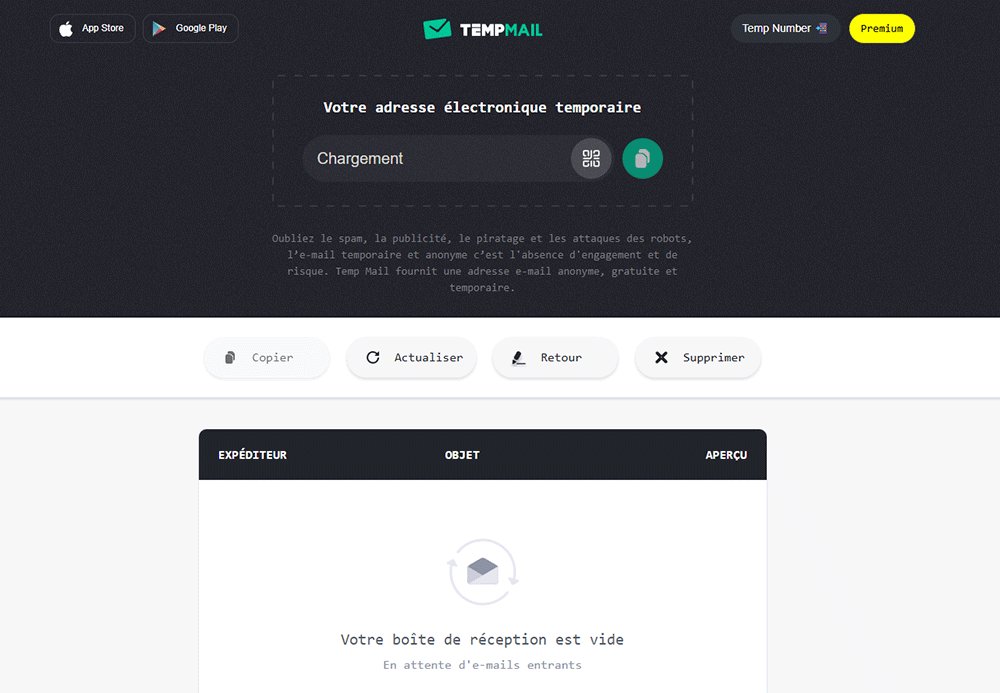
Temp Mail is one of the most widely used temporary email services. It automatically generates a disposable email address when you open the website, allowing you to receive verification emails immediately.

Key features include:

  • Instant temporary email generation
  • Simple and user-friendly interface
  • Multiple domain options
  • Mobile apps available for Android and iOS

Because of its simplicity and reliability, Temp Mail is a popular choice for users who need quick access to a disposable email address.

5 Minute Email - Temp-Mail.org

2. 10 Minute Mail

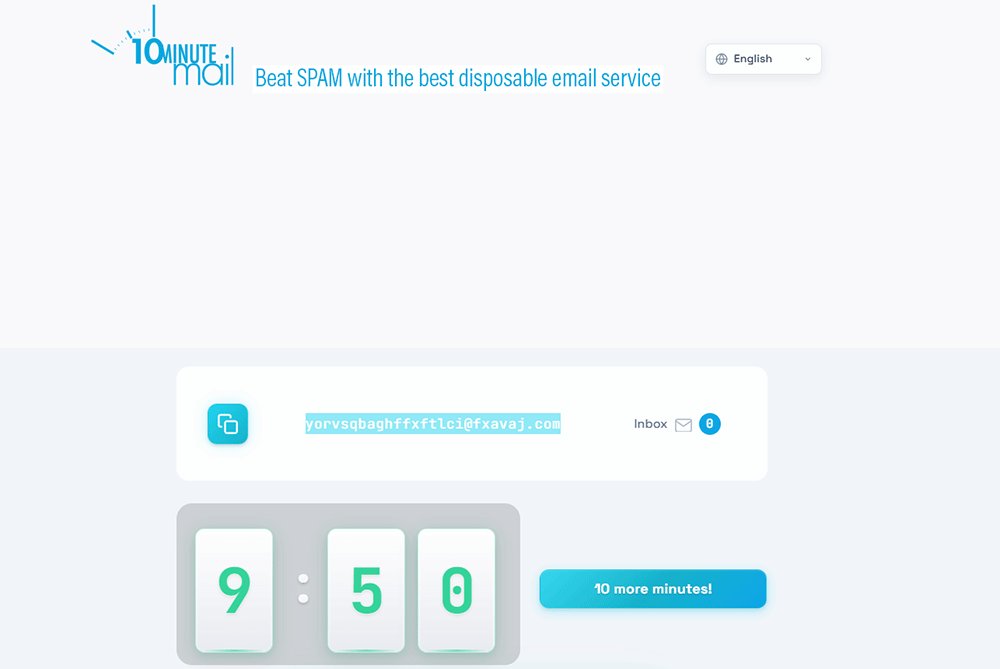
10 Minute Mail is one of the earliest and most well-known 5 minute email alternatives. As the name suggests, it provides a temporary inbox that typically lasts for about ten minutes.

Notable features include:

  • Automatic email address generation
  • Temporary inbox that expires after 10 minutes
  • Option to extend the inbox duration
  • Lightweight and minimal interface

It is often used for quick website registrations or one-time email verification.

5 Minute Email -  10 Minute Mail

3. Guerrilla Mail

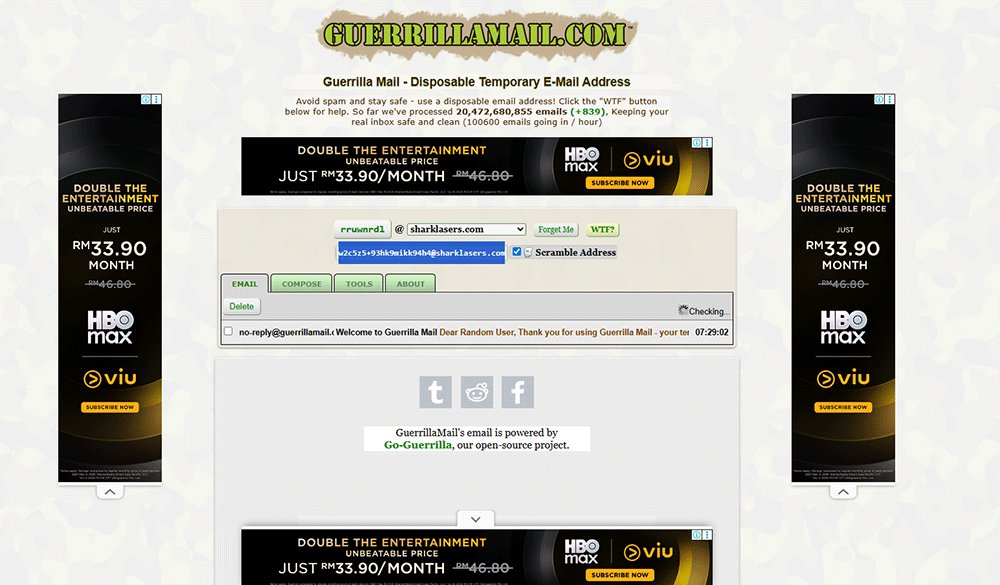
Guerrilla Mail is a more advanced temporary email provider that offers additional control over email addresses and inbox duration.

Key features include:

  • Custom email address selection
  • Inbox lifetime of around 60 minutes
  • Support for attachments
  • Basic API functionality for developers

Because of these features, Guerrilla Mail is commonly used by developers and testers who need flexible disposable email addresses.

5 Minute Email - Guerrilla Mail

4. EmailOnDeck

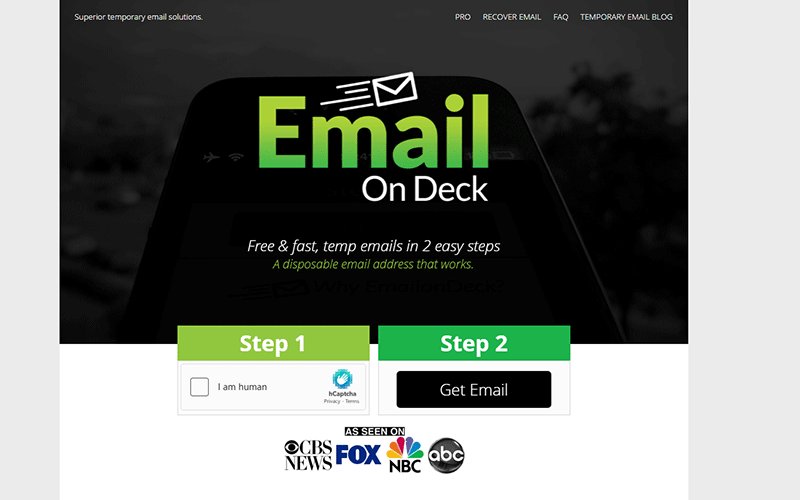
EmailOnDeck focuses on speed and simplicity. The service allows users to generate a temporary email address within seconds and start receiving emails immediately.

Main features include:

  • Fast disposable email generation
  • Simple verification system to prevent abuse
  • Reliable inbox delivery for verification emails

This service is particularly useful when users need a quick temporary email for account activation.

5 Minute Email - EmailOnDeck

5. TempEmail.cc

TempEmail.cc is a fast-growing temporary email service designed for users who need a quick and reliable 5 minute email for verification and online signups. The platform automatically generates a disposable email address as soon as you open the website, allowing you to receive messages instantly without creating an account.

Key features include:

  • Instant temporary email generation
  • Clean and lightweight inbox interface
  • Multiple temporary email domains
  • Fast delivery for verification emails
  • No registration required

Because of its speed and simplicity, TempEmail.cc is particularly useful for users who want a quick temporary email for account verification, testing registrations, or avoiding spam when signing up for online services.

5 Minute Email- TempEmail.cc

Is 5 Minute Email Safe?

A 5 minute email is generally safe for short-term tasks such as account verification, downloading resources, or testing online services. Because it creates a temporary email address that automatically expires, it helps reduce spam and protects your primary inbox from unwanted messages.

However, like any disposable email service, it is designed for convenience rather than long-term security. Temporary inboxes usually do not include advanced protections such as private login credentials, encrypted storage, or permanent message history.

For that reason, a 5 minute email should only be used for low‑risk situations where long-term email access is not required.

Is Temporary Email Anonymous?

One reason many users choose a temporary email is the level of anonymity it offers. Most 5 minute email services generate an email address automatically without requiring any signup process.

This means users typically do not need to provide:

  • Personal information
  • A phone number
  • A secondary email address

Because the system creates the disposable email address instantly, it allows users to receive verification emails without linking the inbox to their real identity. This makes temporary email services useful for protecting personal privacy when interacting with unfamiliar websites.

Security Limitations

While a 5 minute email can improve privacy in certain situations, it also comes with a few limitations. Temporary inboxes are not designed for secure or long-term communication.

Some potential limitations include:

  • Not suitable for important accounts that require ongoing email access
  • Public inbox visibility risks, since some temporary email systems are not private
  • Website blocking, as certain platforms detect and restrict disposable email domains

Because of these factors, temporary email services should mainly be used for quick, low‑risk tasks rather than sensitive communications.

When Not to Use 5 Minute Email

Although a 5 minute email is convenient, there are situations where using a permanent email address is a better choice.

Avoid using a temporary email address for services that require long-term account management or sensitive information.

For example, it is not recommended to use a disposable email for:

  • Banking or financial accounts
  • Primary social media profiles
  • Long-term communication or professional contacts

In these cases, a personal or business email account provides better reliability, security, and account recovery options.

5 Minute Email vs Temp Mail vs Disposable Email

When researching temporary email services, you may encounter several related terms such as 5 minute email, temp mail, and disposable email. While these phrases are often used interchangeably, they actually describe slightly different concepts within the same category of temporary email services.

Understanding the difference between these terms can help users choose the right tool depending on their needs, whether it’s quick email verification, privacy protection, or short‑term inbox access.

In simple terms, all three refer to temporary email systems, but they emphasize different aspects of how the email address is used.

Term Meaning Typical Use
5 Minute Email A temporary email address that expires very quickly Quick verification and one‑time signup
Temp Mail A general term for temporary email services Short-term email access
Disposable Email A broader concept for one-time-use email addresses Privacy protection and spam avoidance

What Is a 5 Minute Email?

A 5 minute email refers specifically to a temporary inbox that expires after a very short time, usually within a few minutes. The main purpose is to provide fast access to verification emails without storing messages long term.

These services are typically used for:

  • Quick website registrations
  • Accessing gated downloads
  • One-time account verification

Because the inbox disappears quickly, a 5 minute email helps prevent spam from accumulating in your personal inbox.

What Is Temp Mail?

Temp mail is a broader term that refers to any temporary email service that allows users to generate a short‑term inbox. Unlike a strict 5 minute email, a temp mail inbox may last longer—sometimes 10 minutes, an hour, or even several hours depending on the provider.

Temp mail services are commonly used for:

  • Short-term online registrations
  • Protecting your primary email address
  • Receiving temporary verification emails

In many cases, a 5 minute email is simply one type of temp mail service.

What Is Disposable Email?

A disposable email (or disposable email address) is the broadest concept among the three. It refers to any email address that is designed to be used once or for a limited purpose and then discarded.

Disposable email systems may include:

  • 5 minute email services
  • temporary email generators
  • forwarding-based disposable email addresses

The primary goal of a disposable email address is to help users maintain privacy and avoid spam when interacting with online platforms.

Key Takeaway

To summarize:

  • Disposable email is the general concept of one-time-use email addresses.
  • Temp mail refers to services that generate temporary inboxes.
  • 5 minute email is a specific type of temp mail that expires very quickly.

In practice, most modern temporary email services combine all three ideas—providing a disposable email address that can receive messages instantly and automatically disappear after a short period.

Common Problems and Fixes

Although a 5 minute email is convenient for quick signups and verification tasks, users sometimes encounter issues when using temporary email services. Some websites actively detect and block disposable email addresses, while others may delay or fail to deliver verification messages.

Understanding these common problems can help users choose the right temp mail provider and improve the chances of receiving important emails.
Below are two of the most common issues people face when using a 5 minute email, along with practical solutions.

Why Some Websites Block 5 Minute Emails

Many websites try to prevent abuse by restricting the use of temporary email addresses. Since disposable emails are often used for creating multiple accounts or bypassing signup limits, some platforms implement filters that detect and block known temp mail domains.

These restrictions usually rely on several mechanisms, including:

  • Anti‑spam systems that identify disposable email patterns
  • Domain blacklists that block well‑known temporary email providers
  • Email verification filters designed to prevent automated account creation

As a result, certain websites may reject a 5 minute email address during the signup process or prevent verification emails from being delivered.

How to Increase Deliverability

If a temporary email is not receiving verification messages, there are a few simple strategies that can improve deliverability.

Users can often solve the issue by trying the following methods:

  • Use a different temporary email domain, since some domains may already be blocked
  • Generate a new email address, which may not yet be flagged by spam filters
  • Choose a reliable temporary email service with better inbox delivery rates

In many cases, switching to another disposable email address or refreshing the temporary inbox is enough to receive the verification email successfully.

FAQs About 5 Minute Email

Below are some of the most frequently asked questions about 5 minute email services, including how they work, whether they are safe to use, and when they are most useful.

Is 5 minute email free?

Yes, most 5 minute email services are completely free to use. Users can generate a temporary email address instantly without registering or paying any fees.

Free disposable email tools allow you to receive verification messages, activate accounts, or access downloads without exposing your primary inbox. Some providers may offer premium features, but the basic functionality of a temporary inbox is usually available at no cost.

Can I extend a 5 minute email?

In some cases, yes. While a 5 minute email is designed to expire quickly, many temporary email services allow users to extend the inbox timer.

For example, certain platforms provide options to refresh the inbox or add extra minutes so users can continue receiving messages. However, the extension feature depends on the specific temp mail provider.

Are temporary emails legal?

Yes, using a temporary email address is generally legal. Disposable email services are simply tools that allow users to receive emails without creating a permanent account.

People often use them to protect their privacy, avoid spam, or test website registrations. However, using temporary email services to violate a website’s terms of service or create fraudulent accounts may not be allowed by certain platforms.

Do websites detect temporary emails?

Yes, some websites can detect disposable email addresses. Many platforms use spam filters or domain blocklists that identify known temporary email domains.

If a site blocks a 5 minute email, the signup form may reject the address or the verification email may not be delivered. In such cases, users can try generating a new email address or using a different temporary email provider.

What is the best 5 minute email service?

The best 5 minute email service depends on your needs. A good temporary email provider should offer fast inbox generation, reliable message delivery, and automatic deletion of emails.

Popular options include services that provide instant disposable email addresses, simple interfaces, and multiple temporary domains for better deliverability.

How long does a temporary email last?

The lifetime of a temporary email depends on the service you are using. Some 5 minute email services keep the inbox active for only a few minutes, while others may allow access for 10 minutes, one hour, or even longer.

Once the time limit expires, the temporary inbox and all received messages are automatically deleted.

Can temporary email be traced?

In most cases, a temporary email address is not directly linked to personal identity because it does not require registration or personal information.

However, like any online service, activity may still be logged by servers or websites. This means temporary email services provide privacy but not complete anonymity.

Why am I not receiving emails in my temporary inbox?

If you are not receiving emails in a 5 minute email inbox, there could be several reasons.

Common causes include:

  • The website blocks temporary email domains
  • The verification email has been delayed
  • The temporary inbox has already expired

To fix this issue, try generating a new disposable email address or using another temporary email provider.

Final Thoughts

A 5 minute email is a simple yet powerful tool for anyone who wants quick access to an inbox without the long‑term commitment of a traditional email account. By generating a temporary email address instantly, users can complete online registrations, receive verification messages, and access digital content without exposing their personal email.

One of the biggest advantages of using a temporary email service is privacy protection. Instead of sharing your primary inbox across dozens of websites, a disposable email address allows you to interact with online platforms while reducing the risk of spam, marketing emails, and unnecessary notifications.

Another key benefit is convenience. A 5 minute email makes it possible to sign up for services, test platforms, or access gated content within seconds—without creating a permanent account or managing multiple inboxes.

For anyone who frequently registers on websites or wants to keep their personal inbox clean, temporary email tools provide a fast and practical solution. If you regularly need quick and private email access, using a reliable temporary email generator like TempEmail.cc can make the process even easier.

최신 기사

5 Minute Email: What It Is, How It Works, and the Best Free Services in 2026
2026년 3월 9일

5 Minute Email: What It Is, How It Works, and the Best Free Services in 2026

Temp University Mail: Your Key to Spam-Free Student Life
2026년 3월 4일

Temp University Mail: Your Key to Spam-Free Student Life

Business Temp Mail: The Smart Alternative to Clogging Your Corporate Inbox
2026년 3월 3일

Business Temp Mail: The Smart Alternative to Clogging Your Corporate Inbox

Why You Need a Temp Mail for Instagram in 2026 (And How to Do It)
2026년 2월 28일

Why You Need a Temp Mail for Instagram in 2026 (And How to Do It)

목차

  • What Is a 5 Minute Email?
  • How Does a 5 Minute Email Work?
  • Why People Use 5 Minute Email
  • How to Use a 5 Minute Email (Step-by-Step)
  • Best 5 Minute Email Services in 2026
  • Is 5 Minute Email Safe?
  • 5 Minute Email vs Temp Mail vs Disposable Email
  • Common Problems and Fixes
  • FAQs About 5 Minute Email
  • Final Thoughts
Temp mail로 돌아가기