¿Qué es exactamente un correo temporal (también llamado correo desechable o "10 minute mail")? Este artículo explicará desde cero los principios, métodos de uso, ventajas y desventajas, una comparativa de los 10 mejores servicios en 2026 y 10 escenarios de alta frecuencia como el comercio electrónico transfronterizo, los juegos y la protección de la privacidad en registros. ¡Los principiantes pueden aprender a proteger su privacidad y decirle adiós al spam en solo 5 minutos!
1. ¿Qué es un correo temporal? Entiéndelo en 1 minuto
1.1 Correo temporal ≠ Correo regular: ¿Qué es exactamente?
Un correo temporal es una dirección de correo electrónico única, anónima y transitoria. Cuando abres un sitio web de correo temporal, puedes generar instantáneamente un correo aleatorio para recibir mensajes (principalmente códigos de verificación y confirmaciones de registro). No requiere registro de cuenta, ni vinculación de número de teléfono, y no deja información personal.
Podemos usar una metáfora común para describirlo: es como un paraguas desechable que compras en un puesto callejero. Cuando deja de llover, lo tiras; no te lo llevas a casa para que ocupe espacio, y tu sala no se mojará por su culpa.
1.2 ¿Cómo funciona?
El principio del correo temporal (también conocido como desechable o temp mail) es muy simple y directo. Así es como funciona paso a paso:
1. Visita el sitio web del servicio → El sistema genera instantáneamente una dirección de correo electrónico aleatoria (o personalizable) para ti; no se requiere registro ni datos personales.
2. Bandeja de entrada directa → Esta dirección apunta a una bandeja de entrada temporal alojada en el servidor del servicio. Solo es visible a través de la página web (o aplicación), y como nadie sabe que es tuya, se mantiene el anonimato total.
3. Recibir correos → Cuando alguien envía un mensaje a esa dirección, el servidor lo muestra en tiempo real en la pestaña de tu navegador abierta, a menudo con actualización automática para recibir notificaciones instantáneas.
4. Autodestrucción → Muchos sitios web de correo temporal destruyen automáticamente tanto la dirección de correo como todos sus mensajes después de un período fijo (como de 10 minutos a unas pocas horas) o tras un periodo de inactividad. Sin embargo, algunas plataformas avanzadas respetan la necesidad de flexibilidad de los usuarios, permitiéndote establecer tiempos de expiración personalizados para la bandeja de entrada y los mensajes —o incluso conservarlos indefinidamente—, mientras siguen ofreciendo una opción de eliminación manual con un solo clic para borrar todo al instante.
En resumen, las características principales del correo temporal son: sin inicio de sesión, sin contraseña y sin seguimiento. Esto lo convierte en una herramienta ideal para registros rápidos, evitar el spam en tu bandeja de entrada principal, proteger la privacidad durante usos únicos y permanecer completamente anónimo en línea.
Ya sea que estés evitando anuncios, probando servicios o simplemente quieras mantener tu correo real limpio, el correo temporal mantiene las cosas simples, rápidas y privadas, sin compromisos a largo plazo.
1.3 Un resumen de los nombres comunes
Los productos de correo temporal se han vuelto muy populares en todo el mundo. Diferentes países, comunidades y generaciones tienen varios nombres para ellos, pero todos apuntan a lo mismo: correo de privacidad a corto plazo, desechable y anónimo.
● Correo temporal (Temporary Email): El nombre más estándar, neutral y utilizado. Casi todos los sitios lo usan como título principal. Tiene el mayor volumen de búsqueda y es el más fácil de encontrar para los principiantes.
● Correo desechable (Disposable Email): Enfatiza la característica de "usar una vez y tirar". Se utiliza con frecuencia en el ámbito de la "caza de ofertas" (freebie hunting), el registro de cuentas secundarias y el comercio electrónico transfronterizo.
● 10 Minute Mail / 10 Minute Temp Mail: Originado por el popular servicio temprano "10minutemail.com". Muchos usuarios veteranos y comunidades chinas se refieren a todos estos servicios como "correo de 10 minutos". Incluso si el servicio dura más de 10 minutos, la gente está acostumbrada a llamarlo así.
● Throwaway Email / Disposable Mail: Una expresión muy coloquial y cercana, utilizada a menudo en Reddit, Twitter/X, TikTok, Discord y varios foros en línea. Suena informal y es especialmente popular entre los jóvenes.
● Burner Email: "Jerga" en los círculos de juegos, comercio de cuentas y registros masivos. "Burner" significa igual que un teléfono desechable (burner phone): lo quemas (destruyes) después de usarlo. Tiene un toque de subcultura y es utilizado por los "viejos lobos" (expertos).
● Correo anónimo / Correo de privacidad: Destaca la función de protección de la privacidad. Aparece a menudo en discusiones entre usuarios con alta conciencia de seguridad, como cuando se combina con una VPN.
● Correo de 24 horas / Correo a corto plazo: Se refiere a servicios de correo temporal con tiempos de retención más largos (como TempEmail.cc, donde los correos pueden guardarse por mucho tiempo), distinguiéndolos de los servicios estrictos de 10 minutos.
2. ¿Por qué todo el mundo es cada vez más inseparable del correo temporal en 2026?
Según las estadísticas de Radicati Group y Statista, en 2026 se espera que el volumen diario de correos electrónicos enviados a nivel mundial alcance los 392.5 mil millones, con el spam representando casi el 45-47%. Eso equivale a casi 180 mil millones de correos basura bombardeando a los usuarios cada día.
Explosión de Spam: En comparación con 2018, el volumen total de correo electrónico global ha aumentado casi un 40%, pero la tecnología de filtrado de spam no ha seguido el ritmo del contenido generado por IA, lo que hace que las bandejas de entrada regulares sean cada vez más "sucias".
Frecuentes filtraciones de correo: En 2025 ocurrieron varias filtraciones a gran escala, como las de Qantas (correos + información personal de 6 millones de usuarios), Plex (correos + hashes de contraseñas) y las filtraciones de datos de verificación de edad de Discord. Los correos de las víctimas se utilizan para phishing y secuestro de cuentas.
Verificación de plataforma más estricta: Casi todas las plataformas nuevas requieren una doble verificación de correo electrónico + número de teléfono. Después de que los números de teléfono se registraran con nombre real, usar un correo real equivale a vender toda tu privacidad.
En 2026, la protección de la privacidad ha pasado de ser "algo bueno de tener" a una "demanda rígida". El correo temporal se está convirtiendo en la primera línea de defensa más simple y efectiva para la gente común.
3. 8 ventajas principales y 5 desventajas críticas del correo temporal
3.1 Las 8 ventajas del correo temporal:
En el mundo digital actual, donde el spam inunda nuestras bandejas de entrada diariamente y las filtraciones de datos exponen información personal a tasas alarmantes, proteger tu correo principal se ha vuelto esencial. Los correos temporales (o desechables) ofrecen la primera línea de defensa perfecta, permitiéndote registrarte, verificar y explorar servicios en línea sin arriesgar tu bandeja de entrada real o tu privacidad.
Aquí están las principales ventajas que hacen del correo temporal una herramienta indispensable en 2026:
✅ Anonimato completo: No se requiere información personal.
✅ Cero spam: Úsalo y deséchalo; tu bandeja de entrada principal se mantiene como nueva.
✅ Inicio instantáneo: Genera en 1 segundo; no se requiere registro.
✅ Recepción estable de OTP: Compatible con la gran mayoría de las plataformas.
✅ Principalmente gratuito: El 99% de los escenarios se resuelven por $0.
✅ Disponible en múltiples dispositivos: Funciona en teléfonos, computadoras y todos los navegadores.
✅ Protección del correo principal: Evita la reacción en cadena de las filtraciones.
✅ Herramienta para caza de ofertas: Pruebas ilimitadas sin miedo a ser baneado.
Ya sea que estés evitando basura promocional, probando servicios o salvaguardando tu identidad, ¡estos beneficios brindan tranquilidad real en segundos!
3.2 Las 5 desventajas críticas del correo temporal:
Aunque los correos temporales (desechables) sobresalen al proporcionar anonimato rápido y protección contra el spam, no son perfectos para todas las situaciones. Como cualquier herramienta, tienen limitaciones reales que es importante entender de antemano.
Aquí están las 5 desventajas clave a tener en cuenta al usar servicios de correo temporal en 2026:
Alta publicidad: Otros podrían ver los correos que recibes (adecuado para verificación única, no para contenido sensible).
Duración corta: La mayoría dura de 10 a 60 minutos; unos pocos admiten 24 horas o más.
Incapaz de enviar: La mayoría de los servicios son solo de recepción (pocos admiten el envío con restricciones).
Bloqueado por algunas plataformas: Plataformas de alta seguridad como Amazon, bancos y PayPal a menudo rechazan el correo temporal.
Estabilidad variable: Los servicios gratuitos ocasionalmente fallan, tienen muchos anuncios o son lentos.
¡Ser consciente de estos compromisos te ayuda a elegir la herramienta adecuada para el trabajo y evitar frustraciones!
4. ¿Cómo eligen los principiantes un correo temporal confiable? Tabla comparativa actualizada de 2026
La siguiente es una comparativa de los mejores servicios de correo temporal basada en pruebas reales en enero de 2026 (velocidad integral, estabilidad, aceptación, volumen de anuncios, etc.):
| Rango | Nombre del servicio | Duración | Ventajas clave | Principales inconvenientes | Nivel de privacidad | Admite envío | Puntuación general |
|---|---|---|---|---|---|---|---|
| 1 | TempEmail.cc | Ilimitada (protegida por contraseña) | Nombres de usuario personalizados, sin anuncios, alta resistencia al bloqueo | Interfaz simple, sin envío | ★★★★★ | ❌ | 9.5/10 |
| 2 | Temp-mail.org | 2 horas (Premium: hasta 1 mes) | Anónimo, múltiples dominios, generación rápida | Anuncios, tiempo de inactividad ocasional | ★★★★½ | ❌ | 9.2/10 |
| 3 | Temp-mail.io | Temporal (eliminación manual) | Admite envío, compatible con móviles, cifrado | Funciones avanzadas requieren pago | ★★★★★ | ❌ | 9.0/10 |
| 4 | Boomlify.com | 2+ meses | Direcciones ilimitadas, vistas previas inteligentes, dominios personalizados | Registro opcional, límites gratuitos | ★★★★½ | ❌ | 8.8/10 |
| 5 | Tmailor.com | 24 horas (permanente vía token) | Más de 500 dominios rotativos, optimizado para móviles | Sin envío, sin archivos adjuntos | ★★★★★ | ❌ | 8.7/10 |
| 6 | Guerrillamail.com | 60 minutos (extensible) | Admite envío + archivos adjuntos, clásico y confiable | Anuncios, bloqueo de algunos sitios | ★★★★ | ✅ | 8.5/10 |
| 7 | Emailondeck.com | Temporal (eliminación segura) | Compatible con cripto, rápido, sin registro | CAPTCHA ocasional, sin envío | ★★★★½ | ❌ | 8.3/10 |
| 8 | 10minutemail.com | 10 minutos | Ultra simple, autodestrucción, cero anuncios | Duración corta, sin extensiones | ★★★★ | ❌ | 8.0/10 |
| 9 | 10minutemail.net | 10-100 minutos | Extensible, rotación de dominios, bandeja privada | Sin envío, necesita actualización manual | ★★★★ | ❌ | 7.8/10 |
| 10 | Tempmailo.com | 48 horas | Generación instantánea, anonimato básico | Funciones básicas, bloqueado fácilmente | ★★★½ | ❌ | 7.8/10 |
A partir de la tabla anterior, podemos ver que el mejor servicio de correo electrónico temporal de 2026 es TempEmail.cc. Destaca por su velocidad ultrarrápida, excelente estabilidad y una experiencia completamente libre de anuncios. La función de duración personalizada es particularmente impresionante y flexible, superando con creces el límite habitual de 10 minutos. La experiencia general del usuario es sumamente fluida y merece fácilmente una calificación de cinco estrellas. Obtiene un impresionante 9.5/10 en pruebas integrales, casi nunca es bloqueado por las principales plataformas y goza de una aceptación de usuario extremadamente alta; es, sin duda, el servicio de correo electrónico desechable más recomendado en este momento.
5. Tutorial de uso súper detallado
5.1 Inicio rápido en 1 segundo en dispositivos móviles
1. Abre tu navegador → Ingresa el dominio del sitio web.
2. La página genera automáticamente un correo electrónico.
3. Cópialo y pégalo directamente en la página de registro.
4. Regresa a la página de correo temporal, actualiza en tiempo real → El código de verificación llega al instante. (Todo el proceso toma menos de 10 segundos y es súper fluido).
5.2 Operación en PC (Ejemplo: TempEmail.cc)
Abre el sitio web → El correo se genera automáticamente → Copiar → Ve al sitio web de destino para registrarte → Regresa a la página para ver el correo → Haz clic en el enlace para completar la verificación. Ve al sitio web ingresando la URL: https://www.tempemail.cc/
 El correo se genera automáticamente y cópialo
 Haz clic en el enlace para completar la verificación.
5.3 Consejos para extender la validez
● Muchos servicios admiten un botón de "actualizar página" o "extender".
● Algunos servicios avanzados permiten personalizar el tiempo de retención.
● Consejo profesional: Mantén la página abierta o actualiza cada pocos minutos.
5.4 ¿Qué hacer si no recibes un correo electrónico?
1. Verifica si el sitio web de destino bloquea los correos electrónicos temporales.
2. Espera de 30 segundos a 1 minuto y vuelve a actualizar.
3. Cambia el sufijo del correo electrónico o genera uno nuevo.
6. Los 10 mejores casos de uso real para el correo temporal en 2026
6.1 Publicaciones anónimas / Redes sociales / Reddit / Foros especializados
Problema: Usar un correo real para publicar facilita el rastreo, la vinculación con tu cuenta principal o incluso ser baneado permanentemente/acosado por la plataforma.
Solución: Usa un correo temporal para completar el registro. Desecha el correo después de publicar; no queda rastro.
Caso: Quejarse sobre secretos laborales en r/personalfinance de Reddit, filtrar temas sensibles en 4chan o unirse a servidores de Discord de forma anónima.
Consejo: Elige un servicio que admita alias personalizados para que parezca más natural; combínalo con Tor o una VPN para obtener el máximo anonimato.
6.2 Desarrolladores/Testers que reciben OTPs y correos de depuración
Problema: Al desarrollar/probar APIs, plantillas de correo o flujos de registro, necesitas recibir OTPs repetidamente pero no quieres contaminar tu bandeja de entrada principal.
Solución: El correo temporal recibe todos los correos de prueba en tiempo real. Cambia a uno nuevo para cada escenario para mayor eficiencia.
Caso: Pruebas de front-end de flujos OAuth, depuración de back-end de servicios de correo (SendGrid/Mailgun) o scripts de automatización para verificación por lotes.
Consejo: Prioriza servicios con "Dominio/Alias personalizado" y "Larga retención".
6.3 Cooperación comercial temporal / Evitar la exposición del correo principal
Problema: Contactar a nuevos clientes o proveedores por primera vez sin querer exponer tu correo laboral/personal en caso de que envíen mucho spam.
Solución: Usa el correo temporal como un "punto de contacto comercial desechable". Pásate a tu correo principal solo después de confirmar que es seguro.
Caso: Cotizaciones iniciales en Upwork/Fiverr, consultas a proveedores transfronterizos, verificación de identidad de proyectos NFT/Cripto.
6.4 Descarga de recursos / Discos en la nube / Software que requiere verificación
Problema: Muchos recursos gratuitos, herramientas o documentos requieren verificación por correo electrónico, seguida de un bombardeo de correos de marketing.
Solución: Verifica con un correo temporal, descarga el recurso y desecha el correo.
Caso: Descargar documentos de Z-Library, obtener códigos de activación para software gratuito o acceder a enlaces compartidos de Mega.
Consejo: Elige un servicio con mayor retención, ya que algunos enlaces de descarga se envían con retraso.
6.5 Juego de privacidad extrema (VPN + Correo temporal)
Problema: En operaciones altamente sensibles (discusión política, denuncia de irregularidades), el correo temporal por sí solo no es suficiente, ya que las direcciones IP aún pueden ser rastreadas.
Solución: La combinación de Correo Temporal + VPN/Proxy Premium + Navegador Tor crea un anonimato de múltiples capas.
Caso: Participar en foros extranjeros sensibles, enviar materiales de denuncia o periodistas que reciben correos de testigos.
6.6 Cuentas secundarias (Smurfs) y cuentas de invitado en juegos
Problema: Crear cuentas "smurf" o IDs de invitado en juegos de PC/móviles a menudo requiere un correo único. Usar tu correo principal no solo es engorroso, sino que también conlleva el riesgo de vincular tus hábitos de juego con tu identidad real.
Solución: Usa un correo temporal para saltarte rápidamente la fase de registro y activación. Puedes crear varias cuentas para diferentes servidores o personajes en segundos.
Caso real: Crear cuentas secundarias en juegos como Genshin Impact, League of Legends o varias promociones de Steam/Epic Games Store para probar diferentes configuraciones de personajes o reclamar recompensas específicas de la región.
6.7 Registro en Wi-Fi público (Aeropuertos/Hoteles/Cafeterías)
Problema: La mayoría de los puntos de acceso Wi-Fi públicos en aeropuertos, hoteles o centros comerciales te obligan a proporcionar una dirección de correo electrónico para conectarte. Una vez que lo haces, tu bandeja de entrada suele venderse a anunciantes locales, lo que genera un spam de marketing interminable.
Solución: Usa un correo temporal para cumplir con el requisito de la puerta de enlace Wi-Fi. Obtienes acceso a Internet de alta velocidad al instante y el "ruido" de marketing posterior desaparece en una bandeja de entrada que se autodestruye.
Caso real: Conectarse a Wi-Fi gratuito en Starbucks o en una terminal de aeropuerto internacional mientras viajas sin preocuparte por recibir correos promocionales extranjeros durante años al regresar a casa.
6.8 Rotación de cuentas / Cuentas de prueba gratuita ilimitadas
Problema: Muchas plataformas SaaS, servicios de streaming y herramientas de diseño ofrecen "pruebas gratuitas de 7 días", pero las limitan a una por correo electrónico. Pagar la suscripción completa solo por un proyecto único puede ser costoso.
Solución: Genera un nuevo correo temporal cada vez que necesites una prueba nueva. Esto te permite "rotar" a través de pruebas legítimamente para realizar pruebas o proyectos a corto plazo sin facturación recurrente.
Caso real: Usar correo temporal para obtener una semana gratuita de Canva Pro para una tarea de diseño específica, o probar una nueva herramienta de escritura con IA antes de comprometerse a una suscripción de $30/mes.
6.9 Participación en encuestas únicas y comentarios anónimos
Problema: Participar en encuestas en línea, votaciones o dar comentarios generalmente requiere un correo para la "verificación", lo que a menudo lleva a que tus datos se agreguen a bases de datos masivas de consumidores.
Solución: Proporciona una dirección de correo temporal. Puedes completar la encuesta y reclamar cualquier recompensa de participación mientras mantienes tu identidad principal completamente separada de tus opiniones o datos.
Caso real: Completar una encuesta del gobierno local, un formulario de comentarios de productos para una marca aleatoria o una encuesta anónima de satisfacción de los empleados en una plataforma de terceros.
6.10 Búsqueda de códigos de descuento (Cupones de primer pedido)
Problema: Los sitios de comercio electrónico a menudo ofrecen "15% de descuento en tu primer pedido" si te suscribes a su boletín informativo. Si eres un cliente recurrente, te pierdes estos ahorros.
Solución: Usa un correo temporal para registrarte como un "nuevo usuario". El código de descuento se envía a tu bandeja de entrada temporal de inmediato, lo que te permite ahorrar dinero en cada compra.
Caso real: Obtener un código promocional de "Nuevo miembro" en sitios de moda como SHEIN o ASOS, o conseguir un cupón de envío gratuito único en aplicaciones de entrega de comida.
Consejo: Algunos sitios tienen detección avanzada; usar un servicio de alta aceptación como TempEmail.cc aumenta significativamente tu tasa de éxito al buscar cupones.
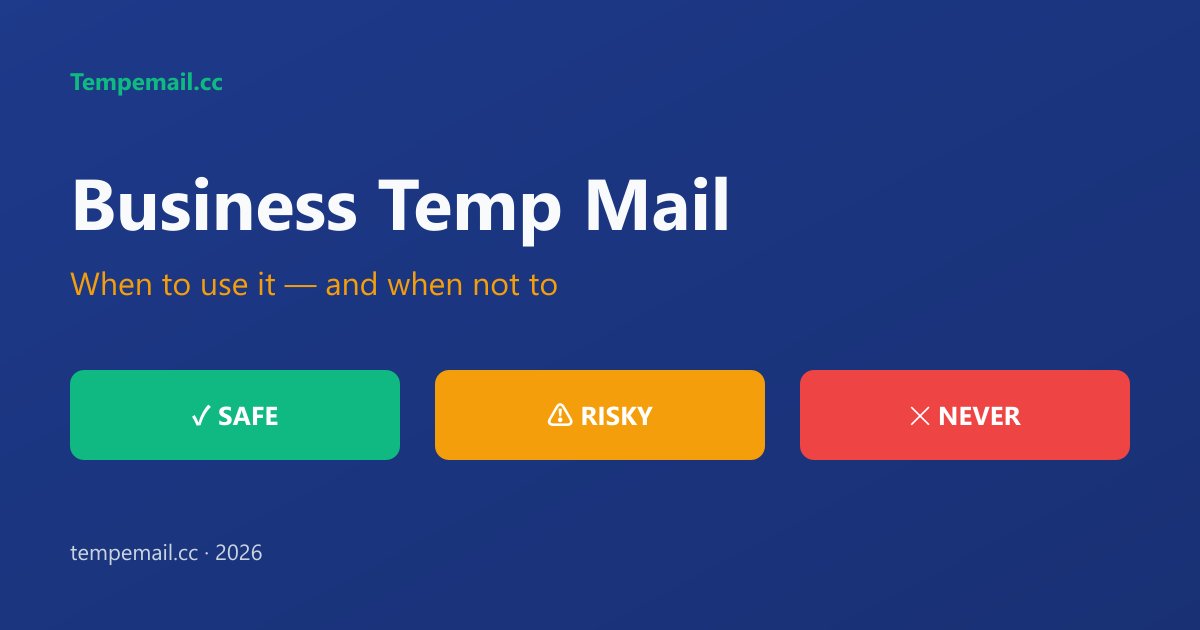
7. ❗Advertencia de seguridad: ¡Nunca uses correo temporal en estas situaciones!
1. 🚫Banca, Finanzas, Vinculación de pagos (Alipay, Tarjetas de crédito, PayPal).
Por qué es peligroso:
● La mayoría de los servicios de correo temporal tienen bandejas de entrada públicas (cualquiera que adivine o conozca la dirección puede leer tus correos).
● No hay cifrado real en tránsito/almacenamiento en muchos servicios gratuitos → datos sensibles como códigos de verificación, alertas de transacciones o enlaces de restablecimiento pueden ser interceptados o vistos por otros.
● Si la bandeja de entrada caduca (a menudo en minutos/horas), pierdes el acceso permanente para siempre.
● Los estafadores explotan activamente los correos desechables para apropiarse de cuentas, configurar phishing o desviar alertas bancarias (como se señaló en informes de fraude de 2025–2026).
● Las plataformas como PayPal o los bancos a menudo marcan o bloquean los dominios temporales de todos modos, pero si logras pasar, te arriesgas a una pérdida financiera instantánea.
→ Usa siempre tu correo electrónico real, seguro y controlado personalmente + habilita la autenticación de dos factores (preferiblemente basada en aplicaciones, no SMS).
2. 🚫Canales de recuperación de cuentas principales (Correo principal, redes sociales, cuentas de trabajo).
Por qué es una mala idea:
● Si alguna vez necesitas recuperar la cuenta (olvidaste la contraseña, fuiste hackeado, bloqueado), el correo temporal habrá caducado o sido eliminado → quedarás bloqueado permanentemente.
● No tener acceso a largo plazo significa no tener forma de recibir códigos o enlaces de recuperación críticos.
● Muchos servicios tratan el correo temporal como sospechoso → pueden requerir verificación telefónica o bloquear el registro por completo.
● En 2025–debates sobre privacidad de 2026 (por ejemplo, en Reddit/comunidades de privacidad), los expertos advierten repetidamente: "Nunca uses un correo temporal para nada que puedas querer recuperar más tarde".
→ Reserva el correo temporal solo para registros desechables; utiliza un correo electrónico dedicado y permanente para la recuperación.
3. 🚫 Todo lo que implique dinero, privacidad o uso a largo plazo.
Por qué evitarlo por completo:
● Pérdida irreversible — Una vez que expiran, los mensajes y la dirección desaparecen para siempre.
● Sin propiedad/control — Realmente no "eres dueño" de la bandeja de entrada; el proveedor puede monitorear, eliminar o entregar la información.
● Mayor riesgo de fraude — A los hackers y estafadores les encanta el correo temporal para el abuso anónimo; usarlo para cosas sensibles puede marcar tu actividad o exponerte indirectamente.
● Violaciones de las plataformas — Los términos de muchos servicios prohíben los correos electrónicos desechables para cuentas importantes, lo que conlleva el riesgo de bloqueos o activos congelados.
→ El correo temporal destaca solo para casos de uso a corto plazo, de baja importancia y de un solo uso.
El correo electrónico temporal es para escenarios de una sola vez y de baja importancia. ¡Utiliza siempre un correo electrónico real y seguro para activos importantes!
8. Preguntas frecuentes sobre correos electrónicos temporales
8.1 ¿Pueden los correos electrónicos temporales recibir códigos de verificación?
Sí, la gran mayoría de los servicios de correo temporal convencionales pueden recibir OTPs (contraseñas de un solo uso/códigos de verificación) de manera confiable.
En pruebas reales, plataformas como TikTok, Steam, Shopify, Amazon y Discord muestran tasas de éxito superiores al 95%.
Tempemail.cc destaca especialmente por su velocidad ★★★★★: los códigos suelen llegar en solo segundos con casi cero retraso.
8.2 ¿Es seguro el correo temporal? ¿Seré rastreado?
El nivel de anonimato es muy alto: no se requiere registro, no se recopila información personal y no hay vinculación de IP.
Sin embargo, el contenido de la bandeja de entrada es público mientras el correo esté activo, así que nunca envíes ni recibas información sensible como contraseñas, identificaciones, detalles financieros, etc.
La mejor práctica de seguridad es usar y desechar el correo inmediatamente después de su uso.
8.3 ¿Cuáles son los mejores correos temporales? (Recomendaciones para 2026)
Basado en velocidad, estabilidad, experiencia sin anuncios y tasa de aceptación en 2026:
Tempemail.cc — Completamente libre de anuncios, duración de bandeja de entrada personalizada, velocidad ★★★★★, excelente control de privacidad.
Temp-Mail.org — Clásico y confiable, ofrece 10 minutos por defecto + extensión de navegador, muy estable.
10MinuteMail — Extremadamente simple y rápido, perfecto para principiantes.
8.4 ¿Puedo enviar correos electrónicos?
La mayoría de los servicios de correo temporal son solo para recibir.
Muy pocos permiten enviar (y aun así, generalmente con limitaciones o pasos adicionales).
8.5 ¿Por qué algunos sitios web no aceptan correos temporales?
Muchas plataformas mantienen listas negras de dominios de correo temporal conocidos para evitar registros de bots, spam y abusos.
Solución: Cambia a un proveedor más nuevo o menos incluido en listas negras, como Tempemail.cc, que actualmente tiene una de las tasas de aceptación más altas.
8.6 ¿Puedo recuperar correos electrónicos después de que expiren?
Generalmente no; la mayoría de los servicios eliminan permanentemente todo una vez que la bandeja de entrada expira o se elimina manualmente.
Con TempEmail.cc, sin embargo, tienes control total: los correos pueden guardarse para siempre si lo deseas, o configurarse para eliminarse automáticamente justo después de recibir tu código de verificación.
8.7 ¿Qué pasa si no recibo un correo electrónico?
● Espera de 30 segundos a 2 minutos (la mayoría llega muy rápido).
● Genera una nueva dirección de correo temporal (esto resuelve ~99% de los casos).
● Si el dominio está bloqueado en esa plataforma, cambia a uno más aceptado como Tempemail.cc.
8.8 ¿Seré baneado por usar correo temporal?
Tú personalmente no serás baneado (ya que eres totalmente anónimo, sin vinculación de cuenta).
Sin embargo, el sitio web o servicio podría rechazar el intento de registro o requerir verificación telefónica en su lugar.
8.9 ¿Es adecuado para uso a largo plazo?
No se recomienda.
Los correos temporales están diseñados para uso a corto plazo o de una sola vez. Para cuentas a largo plazo, activos o comunicaciones importantes, utiliza siempre tu dirección de correo electrónico real y permanente.
8.10 ¿Puedo usarlo para sorteos o sobres rojos?
Sí, de hecho es una herramienta muy popular para la "caza de regalos".
Solo recuerda vincular tu correo real más tarde si realmente ganas algo que requiera seguimiento.
8.11 ¿Será el correo temporal totalmente prohibido en 2026?
No; la demanda de privacidad en línea sigue siendo muy fuerte, por lo que es poco probable que los correos temporales desaparezcan por completo.
Dicho esto, las plataformas de alta seguridad seguirán mejorando su detección y bloqueo. Elegir servicios que roten frecuentemente o utilicen dominios nuevos es la clave para mantenerse a la vanguardia.
9. Conclusión: Empieza a proteger tu privacidad hoy mismo
El correo electrónico temporal no es una herramienta para hacer trampas; es la última línea de defensa de la privacidad en la vida digital moderna. Al usarlo, puedes probar el terreno de forma segura, operar de forma masiva y mantenerte alejado del acoso, mientras tu bandeja de entrada principal se mantiene limpia y profesional.
Experimenta nuestro servicio de correo temporal más estable, rápido y sin anuncios ahora → Haz clic para visitar Tempemail.cc y genera tu correo con un solo clic.
La privacidad es la línea final. ¡A partir de 2026, protégela bien!